 Crypto Exchange Software
  White Label Crypto Exchange
  P2P Crypto Exchange
  Crypto Futures Trading
  Forex Trading Software
  Token Launchpad
  Margin Trading
  Liquidity Engine
  Crypto Wallet
  KYC & AML
  Exchange Security
  Crypto Staking Software
  Crypto Lending Software
  Crypto Earn Module
  Exchange Integrations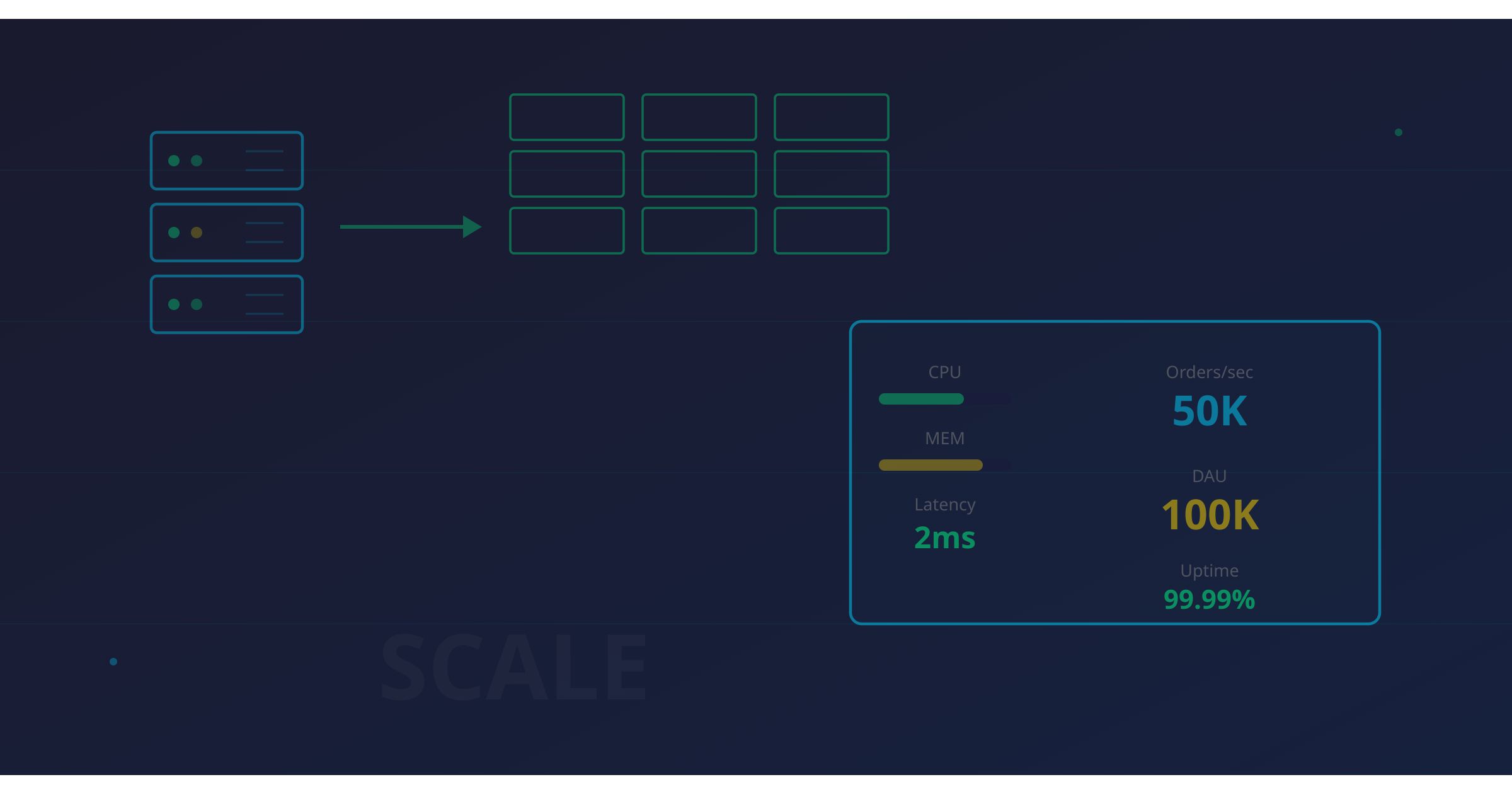
Scaling Crypto Exchange Infrastructure: From 1K to 100K Daily Users
Table of Contents
- Why Exchanges Break Under Load
- The Three Scaling Stages
- Identifying Your Bottlenecks Before They Find You
- Database Scaling: The First Wall You’ll Hit
- Matching Engine Scaling: The Sacred Single Thread
- WebSocket Scaling: Real-Time at Scale
- API Gateway Design: Your Front Door
- Blockchain Node Infrastructure
- CDN and Static Asset Optimization
- Monitoring and Alerting: Exchange-Specific Observability
- Auto-Scaling with Kubernetes
- Disaster Recovery and Multi-Region
- Load Testing: Simulating Realistic Trading Load
- Cost Optimization at Scale
- Real Metrics and Benchmarks
- Putting It All Together
Why Exchanges Break Under Load
Every crypto exchange works fine in development. Every exchange handles its first hundred users without breaking a sweat. The problems start when real traders show up — and they always show up at the worst possible time. A token listing goes viral. Bitcoin moves 15% in an hour. A liquidation cascade hits. Suddenly, your matching engine is drowning in orders, your database connections are exhausted, your WebSocket servers are dropping connections, and your support queue is filling up with “WHERE IS MY MONEY” tickets.
I’ve seen exchanges that handled demo trading beautifully collapse within minutes of a real market event. The root cause is almost always the same: the infrastructure was designed for average load, not peak load. And in crypto, peak load isn’t 2x average — it’s 10x to 50x average. The volatility that makes crypto exciting for traders makes it terrifying for DevOps engineers.
If you’re building on crypto exchange software like Codono, you already have a production-tested foundation. With a self-hosted crypto exchange, you control every layer of the stack — from the matching engine to the database. But scaling that foundation to handle real growth requires deliberate infrastructure decisions at every layer. This guide covers exactly what those decisions are, with the real numbers and configurations that matter.
The Three Scaling Stages
Exchange infrastructure scaling isn’t continuous. It happens in distinct phases, each with different bottlenecks and solutions. Understanding which stage you’re in prevents you from over-engineering too early or under-investing too late.
Stage 1: Startup (1K DAU)
At this stage, everything runs on a single server or a small cluster. Your database, matching engine, API server, and WebSocket server might all share the same machine. This is fine. Don’t let anyone tell you otherwise.
Typical infrastructure: 1-3 servers, single database instance, monolithic or simple microservice deployment. Total cloud spend: $500-2,000/month.
What breaks first: Database query performance on order history and trade tables. The first time someone exports their trade history across 50 trading pairs, your database locks up and everyone feels it.
What to do: Add database indexes, implement connection pooling (PgBouncer or ProxySQL), set up basic Redis caching for hot data like ticker prices and user balances. Don’t shard anything yet. Don’t add read replicas yet. Just make your single instance as efficient as possible.
Stage 2: Growth (10K DAU)
Now you have real concurrent trading. Multiple trading pairs are active simultaneously. WebSocket connections start consuming real memory. Your API starts hitting rate limits you didn’t know you needed.
Typical infrastructure: 5-15 servers, database with read replicas, dedicated matching engine server, separate WebSocket cluster. Cloud spend: $5,000-15,000/month.
What breaks first: WebSocket connection limits, database write throughput, matching engine queue depth during volatility spikes.
What to do: Separate the matching engine onto dedicated hardware. Add database read replicas for queries. Implement a proper pub/sub layer for WebSocket fan-out. Deploy an API gateway with rate limiting. This is where your technology stack choices start to really matter.
Stage 3: Scale (100K DAU)
You’re now operating real exchange infrastructure. Every component needs horizontal scaling, failover, and geographic distribution. You need a dedicated DevOps team, not a developer who sometimes does deployments.
Typical infrastructure: 50+ servers across multiple regions, sharded databases, Kubernetes clusters, dedicated blockchain nodes, multi-CDN setup. Cloud spend: $30,000-80,000/month.
What breaks first: Everything that worked at Stage 2 but was held together with duct tape. Database sharding becomes mandatory. Your monitoring gaps become outages. Your deployment process becomes a bottleneck.
What to do: Everything in this guide.
Identifying Your Bottlenecks Before They Find You
Before you scale anything, you need to know what’s actually slow. Guessing is expensive. Here are the six most common bottlenecks in exchange infrastructure, ranked by how often they’re the actual cause of performance problems:
-
Database write throughput — Every order, trade, balance update, and deposit generates writes. At 1,000 orders/second, you’re generating 3,000-5,000 database writes per second after accounting for trades and balance updates.
-
Matching engine queue depth — If orders queue up faster than the engine processes them, latency spikes exponentially. A healthy queue depth is under 100 orders. If you see 10,000+ during a spike, you’re in trouble.
-
WebSocket connection count — Each connected user holds an open TCP connection. At 10K concurrent connections, you’re using ~80MB of kernel memory just for socket buffers. At 100K, you need dedicated WebSocket servers.
-
Blockchain node sync lag — If your deposit detection node falls behind the chain tip, users report “missing deposits” and your support team panics. A node that’s 10 blocks behind on Ethereum means deposits take 2+ extra minutes to appear.
-
API rate limit saturation — Bot traders will hammer your API at thousands of requests per second per account. Without proper rate limiting, a few aggressive bots can degrade the experience for all users.
-
Redis memory pressure — If you’re caching aggressively (you should be), Redis memory usage grows with your user base. An eviction storm can cascade into database overload within seconds.
Profile before you optimize. Instrument everything. Set up Prometheus metrics from day one, not day one hundred.
Database Scaling: The First Wall You’ll Hit
The database is the bottleneck in 80% of exchange scaling problems. Here’s the progression of solutions, in the order you should implement them.
Connection Pooling
Your application probably opens a new database connection for every request. At 1,000 requests/second, that’s 1,000 connections. Most databases start struggling around 200-500 active connections. PgBouncer (PostgreSQL) or ProxySQL (MySQL) sit between your app and database, maintaining a pool of reusable connections.
Set your pool size to 2-4x the number of CPU cores on your database server. A 16-core machine should have a pool of 32-64 connections. More isn’t better — it’s worse, because of lock contention.
Read Replicas
Once your single database server maxes out, the first scaling move is adding read replicas. Route all read queries — order book snapshots, trade history, portfolio views, admin dashboards — to replicas. Keep writes on the primary.
The critical detail: replication lag. With asynchronous replication, a replica might be 10-100ms behind the primary. That’s fine for trade history. It’s not fine for balance checks before order placement. Always read balances from the primary.
Redis Caching Layers
Not every read needs to hit the database. Cache these aggressively:
- Ticker data (price, 24h volume, 24h change): 1-second TTL
- Order book snapshots: 100ms TTL, rebuilt from the matching engine’s in-memory state
- User balances: Write-through cache, invalidated on every trade and withdrawal
- Market configuration (trading pairs, fee tiers, limits): 60-second TTL
- Session data: 30-minute TTL with sliding expiration
A properly configured Redis cache can eliminate 90% of database reads. At Stage 2, this alone might delay your need for read replicas by months.
Sharding Strategies
When a single primary can’t handle your write volume — typically above 10,000 writes/second sustained — you need to shard. For exchanges, two sharding strategies work:
Shard by trading pair. All orders, trades, and order book data for BTC/USDT go to shard 1, ETH/USDT to shard 2, etc. This aligns with the matching engine’s natural partitioning. The downside: user balance queries need to hit multiple shards.
Shard by user ID. All data for user 12345 goes to shard A. Balance queries are fast, but cross-user queries (like building a global order book) require scatter-gather. This works better for exchanges with many trading pairs but moderate per-pair volume.
Most exchanges at Stage 3 use a hybrid: shard the order/trade tables by trading pair, shard the user/balance tables by user ID, and keep reference data (market configs, fee schedules) on a single unsharded instance.
Time-Series Data for Order Books
Historical order book data — the depth snapshots that power charts and analytics — shouldn’t live in your transactional database. Use a time-series database like TimescaleDB, InfluxDB, or ClickHouse. These are optimized for high-volume append-only writes and time-range queries.
A busy trading pair can generate 10,000+ order book updates per second. At 50 bytes per update, that’s 43GB per day for a single pair. Time-series databases handle this with columnar storage and automatic data compaction. Your relational database would choke on it.
Matching Engine Scaling: The Sacred Single Thread
The matching engine is the component that most people try to scale wrong. Here’s why, and what to do instead.
Why Single-Threaded Matters
A matching engine for a single trading pair should be single-threaded. This isn’t a limitation — it’s a design requirement. Price-time priority (FIFO) matching requires deterministic ordering of operations. Multi-threaded matching introduces race conditions that can cause incorrect fills, phantom liquidity, and balance inconsistencies.
The good news: a single-threaded engine on modern hardware can process 50,000-100,000 orders per second. Unless you’re running a top-10 global exchange, a single thread per pair is sufficient.
In-Memory Order Books
The order book must live in memory, not in the database. Database-backed order books add 1-10ms of latency per operation. Memory-backed order books operate in microseconds. The database is for persistence and recovery, not for active matching.
The architecture: incoming orders go to an in-memory queue, the matching engine processes them sequentially, results get written to the database asynchronously via an event log. If the engine crashes, it replays the event log to rebuild state. This is event sourcing, and it’s the standard approach for financial matching engines.
Horizontal Scaling Per Trading Pair
You can’t horizontally scale a single trading pair’s matching engine (without sacrificing correctness). But you can run independent matching engines for different trading pairs on different cores or servers.
At Stage 2, run all engines on a single multi-core server, one engine per core. At Stage 3, distribute engines across dedicated servers grouped by volume. Put BTC/USDT and ETH/USDT on high-performance machines with fast NVMe storage for event logs. Put low-volume pairs on shared instances.
Codono’s crypto exchange software handles this partitioning, letting you assign trading pairs to specific engine instances without modifying application code.
WebSocket Scaling: Real-Time at Scale
WebSocket connections are stateful, long-lived, and memory-hungry. Scaling them requires a fundamentally different approach than scaling stateless HTTP APIs.
Connection Pooling
Each WebSocket server should handle 10,000-50,000 concurrent connections, depending on message volume. Beyond that, kernel-level socket management becomes a bottleneck. Use connection pools with health checks to distribute new connections across available servers.
Configure your load balancer for WebSocket upgrade support. nginx works, but you need explicit proxy_pass configuration with connection upgrade headers. HAProxy handles WebSocket natively and is often a better choice for this layer.
Pub/Sub Architecture
The core problem: when a trade executes on BTC/USDT, you need to notify every user subscribed to that pair. If 5,000 users are watching BTC/USDT across 10 WebSocket servers, the matching engine can’t send 5,000 individual messages.
The solution is a pub/sub layer between the matching engine and WebSocket servers. The matching engine publishes a single trade event to a channel. Each WebSocket server subscribes to the channels its connected clients care about and fans out messages locally.
Redis Pub/Sub works at Stage 2. It’s simple, fast, and you already have Redis. The limitation: Redis Pub/Sub is fire-and-forget. If a WebSocket server misses a message (during a restart, for example), that message is gone.
NATS or NATS JetStream is the better choice at Stage 3. NATS handles millions of messages per second, supports message replay for recovery, and has built-in clustering. It’s purpose-built for this exact use case.
Sticky Sessions
When a user’s WebSocket connection drops and they reconnect, they should ideally hit the same server. This avoids the “flash of stale data” problem where the user briefly sees an outdated order book while the new server catches up.
Configure your load balancer for source-IP sticky sessions with a reasonable timeout (5-10 minutes). If you’re using Kubernetes, use a headless service with session affinity.
Message Compression
At scale, WebSocket bandwidth becomes significant. A busy exchange can generate 50MB/second of raw WebSocket traffic across all pairs. Use per-message deflate compression (RFC 7692) to reduce bandwidth by 60-80%. Most modern WebSocket clients support this natively.
API Gateway Design: Your Front Door
Your API gateway handles every HTTP request from traders, bots, and frontend applications. It needs to be fast, secure, and horizontally scalable.
Rate Limiting
Implement rate limiting at multiple levels:
- Global: 100,000 requests/second across all users (protects your backend from DDoS)
- Per-IP: 1,000 requests/minute (stops naive abuse)
- Per-API-key: 600 requests/minute for standard users, 6,000 for VIP/institutional (matches the tier system)
- Per-endpoint: Place order endpoints get stricter limits than read-only endpoints
Use a sliding window algorithm backed by Redis. Token bucket algorithms are simpler but less precise. Store counters with TTLs that match your rate limit windows.
For details on building solid API integrations, Codono provides built-in rate limiting with configurable tiers per API key.
Response Caching
Cache API responses at the gateway level for endpoints that don’t change per-user:
GET /api/v1/ticker— 1-second cacheGET /api/v1/depth— 100ms cacheGET /api/v1/trades— 500ms cacheGET /api/v1/markets— 60-second cache
Use Cache-Control headers so CDNs can cache these responses at the edge too. This alone can reduce your backend load by 70% for read-heavy endpoints.
Load Balancing
At Stage 2, a single nginx or HAProxy instance with round-robin is sufficient. At Stage 3, you need:
- Layer 7 load balancing with health checks
- Geographic routing (route Asian users to Asian servers)
- Circuit breakers that remove unhealthy backends automatically
- Connection draining for zero-downtime deployments
AWS ALB, Google Cloud Load Balancer, or a dedicated Envoy proxy cluster all work. The important thing is active health checking, not passive. Don’t wait for 5 failed requests to remove a backend — probe it every 5 seconds and remove it the moment it stops responding.
Geographic Distribution
Deploy API gateways in every region where you have significant user traffic. A trader in Tokyo hitting an API server in Virginia adds 150-200ms of latency to every request. That’s unacceptable for order placement.
At minimum, deploy in three regions: North America, Europe, and Asia. Route users to the nearest gateway using DNS-based geographic routing (Route53, Cloudflare). The gateway can then route to your central matching engine — that latency is acceptable because it’s on your internal network.
Blockchain Node Infrastructure
Your exchange needs to interact with every blockchain you support: monitoring deposits, broadcasting withdrawals, and checking confirmations. Node infrastructure is often neglected until it causes an outage.
Dedicated vs. Shared Nodes
Shared nodes (Infura, Alchemy, QuickNode) are fine at Stage 1. They’re reliable, maintained by someone else, and cost $50-500/month per chain.
Dedicated nodes become necessary at Stage 2 for high-volume chains. Reasons: rate limits on shared providers are restrictive (typically 100-1,000 requests/second), you can’t customize node configuration, and you’re dependent on a third party’s uptime for your deposit processing.
Run dedicated nodes for your top 3-5 chains by volume. Keep shared providers as fallback for everything else.
Node Load Balancing
Run at least two nodes per blockchain. Put them behind a load balancer with health checks that verify sync status, not just HTTP availability. A node that responds to health checks but is 50 blocks behind the chain tip is worse than a node that’s down — it silently misses deposits.
Health check logic: query the node’s latest block number, compare it to a reference (another node or a block explorer API), and mark the node unhealthy if it’s more than N blocks behind (where N depends on the chain’s block time).
Multiple Providers as Fallback
Even with dedicated nodes, configure fallback to shared providers. If both your Ethereum nodes go down during a Geth upgrade, Infura or Alchemy keeps your deposit processing running. Implement this as a priority list with automatic failover:
- Primary dedicated node
- Secondary dedicated node
- Shared provider A (Alchemy)
- Shared provider B (Infura)
Codono’s security features include built-in node health monitoring and automatic failover between blockchain providers.
CDN and Static Asset Optimization
Your trading UI, charts, and static assets should never hit your origin servers in production. Use a CDN aggressively.
Place the following behind a CDN with long cache TTLs: JavaScript bundles (content-hash in filename, 1-year cache), CSS files, TradingView charting library, fonts, images, and favicons. Use cache-busting via filename hashing, not query parameters (some CDNs strip query parameters).
For the trading interface specifically, deploy to multiple CDN regions so the initial page load is fast regardless of the user’s location. The API calls will be slightly slower for users far from your backend, but the perceived performance of the UI should be instant.
Set immutable on hashed assets. This prevents unnecessary revalidation requests:
Cache-Control: public, max-age=31536000, immutableMonitoring and Alerting: Exchange-Specific Observability
Generic infrastructure monitoring is necessary but not sufficient. You need exchange-specific metrics that tell you whether traders are having a good experience.
The Metrics That Matter
Order matching latency (p50, p95, p99). This is the time from order submission to match result. Targets: p50 < 1ms, p95 < 5ms, p99 < 10ms. If p99 exceeds 50ms, traders will notice and complain. If it exceeds 200ms, arbitrage bots will leave.
Fill rate. The percentage of market orders that get fully filled. A healthy order book has a fill rate above 95%. Below 80%, your liquidity engine needs attention.
Withdrawal processing time. From user request to blockchain broadcast. Target: under 5 minutes for automated withdrawals, under 2 hours for manual review. Track the p95 — a few slow withdrawals generate disproportionate support tickets.
WebSocket message latency. Time from trade execution to message delivery to the last connected client. Target: under 100ms for 99% of messages. Measure this end-to-end, not just the pub/sub layer.
Blockchain node sync delta. The difference between your node’s latest block and the chain tip. Alert if this exceeds 3 blocks for fast chains (Solana, BSC) or 2 blocks for slow chains (Bitcoin, Ethereum).
Prometheus + Grafana Setup
Prometheus is the standard for exchange monitoring. Export custom metrics from every component:
# Matching engine metrics
exchange_order_latency_seconds{pair="BTC_USDT",type="limit"}
exchange_orders_processed_total{pair="BTC_USDT"}
exchange_order_book_depth{pair="BTC_USDT",side="bid"}

# WebSocket metrics
exchange_ws_connections_active{server="ws-01"}
exchange_ws_messages_sent_total{pair="BTC_USDT"}

# Blockchain metrics
exchange_node_sync_delta{chain="ethereum"}
exchange_deposit_processing_seconds{chain="ethereum"}
exchange_withdrawal_broadcast_seconds{chain="bitcoin"}
Build Grafana dashboards for three audiences: the operations team (infrastructure health), the trading team (market quality metrics), and the executive team (business metrics like daily volume, new registrations, and revenue).
Alert Routing
Not every alert should page someone at 3 AM. Tier your alerts:
- P1 (page immediately): Matching engine down, database primary unreachable, hot wallet balance anomaly, withdrawal processing stopped
- P2 (page during hours): Replication lag > 5 seconds, node sync delta > 10 blocks, API error rate > 1%
- P3 (ticket, no page): Disk usage > 80%, certificate expiring in 14 days, cache hit ratio below 90%
Auto-Scaling with Kubernetes
Kubernetes is the natural platform for scaling exchange infrastructure at Stage 2 and beyond. But not every component should auto-scale the same way.
Horizontal Pod Autoscaler (HPA)
Configure HPA for stateless components:
- API gateway pods: Scale on CPU (target 60%) and request rate
- WebSocket server pods: Scale on connection count (target 10,000 per pod)
- Blockchain watcher pods: Scale on queue depth (pending transactions to process)
- Trade history/analytics workers: Scale on job queue length
Do not auto-scale the matching engine with HPA. Each matching engine instance handles specific trading pairs, and adding a new instance requires rebalancing pair assignments. This is a manual operation that should be planned, not automated.
Traffic Prediction
Crypto trading follows predictable patterns overlaid with unpredictable spikes. The predictable part: volume peaks during US market hours (14:00-21:00 UTC), on Mondays, and on major economic announcement days. Pre-scale for these windows.
The unpredictable part: Bitcoin moves 10% and volume explodes 20x. For this, configure aggressive HPA settings with short scale-up windows (30 seconds) and longer scale-down windows (10 minutes). Over-scaling for 10 minutes costs dollars. Under-scaling for 10 minutes loses users permanently.
StatefulSets for Stateful Components
Use StatefulSets (not Deployments) for: the matching engine, database instances, Redis clusters, and blockchain nodes. StatefulSets provide stable network identities and persistent storage, both of which stateful components need for correct operation.
Disaster Recovery and Multi-Region
If your exchange runs in a single availability zone and that zone goes down, your exchange goes down. At Stage 2, deploy across availability zones within a single region. At Stage 3, deploy across regions.
Database Failover
Configure automated failover for your primary database. PostgreSQL with Patroni or MySQL with Group Replication can promote a replica to primary within 10-30 seconds. Test this failover monthly. Untested failover is worse than no failover — it gives you false confidence.
The critical detail: after failover, all application connections must reconnect to the new primary. Use a connection proxy (PgBouncer, ProxySQL) with a floating IP or DNS entry that points to whichever instance is currently primary.
Hot Standby Matching Engine
Maintain a hot standby matching engine that replays the event log in real-time but doesn’t process new orders. If the primary fails, promote the standby. Time to recovery: under 30 seconds, with zero order loss (because the event log is the source of truth).
This is where event sourcing pays off. The standby doesn’t need to sync state with the primary — it independently derives state from the same event log. If both instances process the same events, they arrive at the same state. Determinism is guaranteed by the single-threaded design.
Multi-Region Deployment
At Stage 3, run active API gateways and WebSocket servers in all regions. Run the matching engine in a single primary region. Trading latency from remote regions will include the cross-region network hop (50-150ms), but this is acceptable because the alternative — running matching engines in multiple regions — introduces consistency nightmares.
For the deployment guide, a single-region launch is perfectly fine. Multi-region is a Stage 3 optimization, not a launch requirement.
Load Testing: Simulating Realistic Trading Load
You can’t scale what you haven’t tested. And most load testing for exchanges is unrealistic because it doesn’t model actual trading behavior.
Realistic Trading Load Profiles
Real trading traffic is not uniformly distributed. Model these user types:
- Market makers (5% of users, 60% of orders): Continuous limit order placement and cancellation, 10-50 orders/second per market maker, mostly cancel-replace patterns.
- Retail traders (80% of users, 20% of orders): Sporadic market and limit orders, heavy WebSocket subscription usage, frequent balance checks.
- Bots (15% of users, 20% of orders): Burst API traffic, aggressive rate limit testing, high WebSocket subscription churn.
Load Test Methodology
- Baseline: Run your current production traffic pattern for 1 hour. Record all metrics.
- Ramp: Increase traffic by 2x every 10 minutes until something breaks. Record where and how it breaks.
- Spike: From baseline, instantly jump to 10x traffic. Measure recovery time when the spike ends.
- Soak: Run 2x baseline traffic for 24 hours. Look for memory leaks, connection pool exhaustion, and disk space issues.
Use tools like k6, Gatling, or custom scripts that model the order flow patterns above. Generic HTTP load testing tools don’t understand order book dynamics — you need scripts that place realistic sequences of limit orders, market orders, and cancellations.
Cost Optimization at Scale
Cloud infrastructure costs grow faster than revenue if you’re not deliberate about optimization.
Reserved Instances
Your database servers, matching engine servers, and primary Redis instances run 24/7. Buy reserved instances (1 or 3-year commitments) for these workloads. Savings: 30-60% compared to on-demand pricing.
Spot Instances for Non-Critical Workloads
Use spot/preemptible instances for: load testing environments, blockchain node sync (initial sync only), data analytics workers, and staging environments. These workloads tolerate interruption. Savings: 60-90% compared to on-demand.
Never run the matching engine, primary database, or withdrawal processing on spot instances. The cost savings aren’t worth the operational risk.
Right-Sizing
Most exchange operators over-provision CPU and under-provision memory. Review your instance sizes quarterly. If a server’s CPU utilization never exceeds 30%, downsize it. If a server’s memory usage regularly hits 85%, upsize it before it starts swapping.
Data Lifecycle Management
Trade data older than 90 days rarely gets accessed. Move it to cold storage (S3, GCS) and query it with Athena or BigQuery on demand. Keep only the last 90 days in your hot database. This can reduce database storage costs by 70% and improve query performance for recent data.
Real Metrics and Benchmarks
Here are the performance targets for each scaling stage, based on real exchange operations:
| Metric | Stage 1 (1K DAU) | Stage 2 (10K DAU) | Stage 3 (100K DAU) |
|---|---|---|---|
| Orders/second | 1,000 | 10,000-50,000 | 100,000+ |
| Order latency (p99) | < 50ms | < 10ms | < 5ms |
| WebSocket connections | 500 | 5,000-20,000 | 100,000+ |
| WS message throughput | 10K msg/s | 100K msg/s | 1M+ msg/s |
| API requests/second | 5,000 | 50,000 | 500,000+ |
| Database writes/second | 500 | 5,000 | 50,000+ |
| Deposit detection time | < 60s | < 30s | < 15s |
| Withdrawal broadcast time | < 5min | < 2min | < 30s |
| Uptime SLA | 99.5% | 99.9% | 99.95% |
These aren’t aspirational numbers — they’re the minimum thresholds where user experience remains acceptable. Below these targets, traders leave. Above them, you’re competitive.
Putting It All Together
Scaling a crypto exchange isn’t about applying every technique from day one. It’s about knowing which problems to solve at each stage and building an architecture that allows you to add capacity without rewriting everything.
Start simple. A single-server deployment with proper caching and connection pooling handles more load than most people expect. When that’s not enough, add read replicas and a pub/sub layer. When that’s not enough, shard your database and distribute your WebSocket servers. When that’s not enough, go multi-region.
The constant across all stages: monitoring. You can’t scale what you can’t measure. Instrument everything from day one. The metrics you collect at 1K DAU will tell you exactly where to invest at 10K DAU.
If you’re building with Codono’s crypto exchange software, the matching engine, order book management, and WebSocket infrastructure are already production-tested. Your job is to scale the surrounding infrastructure — database, caching, load balancing, and blockchain nodes — to match your growth. That’s a much more tractable problem than building everything from scratch.
Ready to build exchange infrastructure that scales? Explore Codono’s architecture and see how the foundation handles production trading load out of the box.
Codono Team
Codono builds enterprise-grade crypto exchange software deployed by 250+ operators across 30+ countries. Our team writes from production experience running spot, derivatives, custody, and compliance at scale.
View all posts by Codono Team →