 برنامج المنصة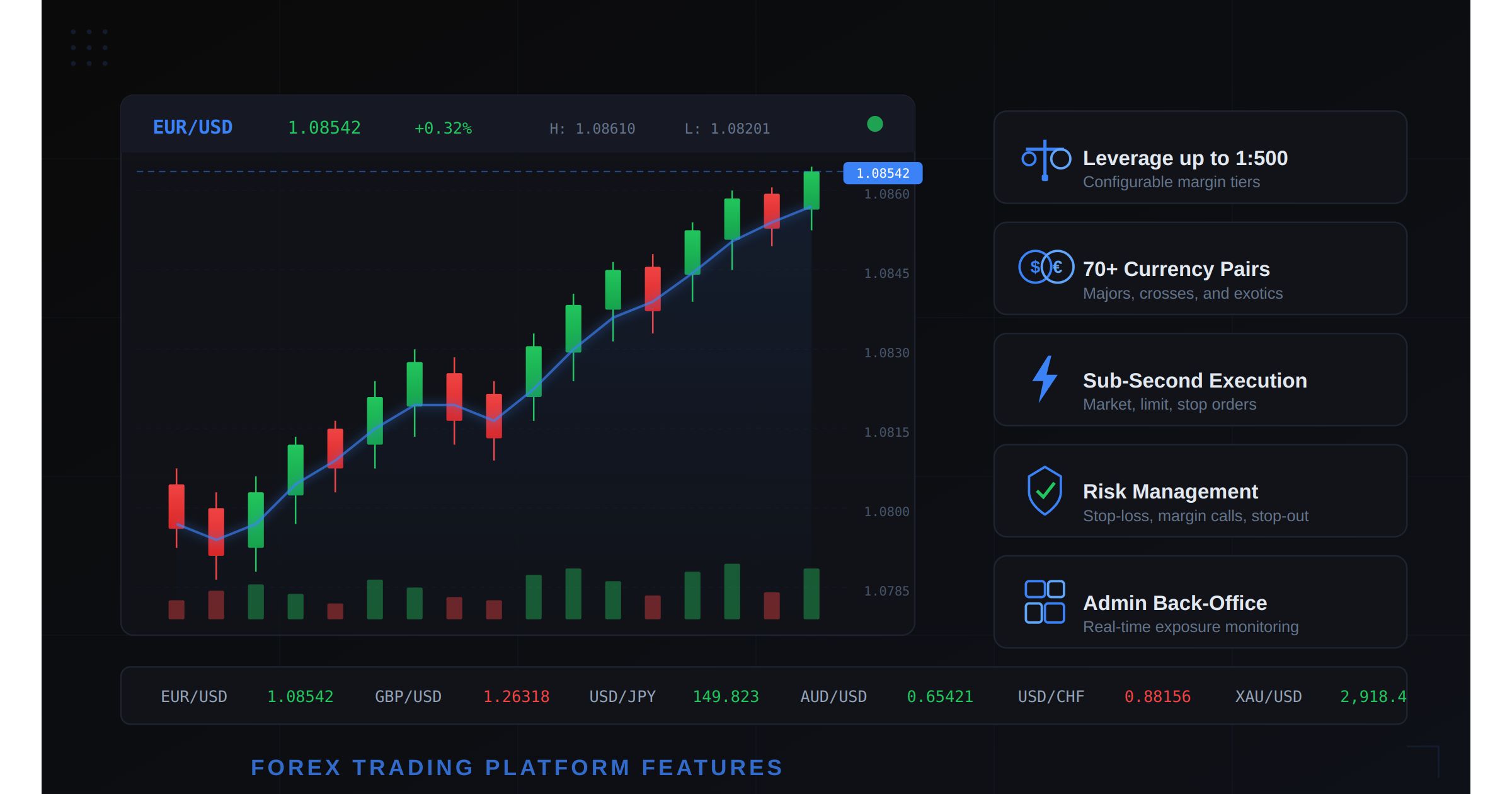
Forex Trading Platform Features Checklist - What Every Broker Needs in 2026
Table of Contents
- Why Platform Features Matter More Than Brand in 2026
- Order Execution Engine: The Foundation of Everything
- Charting and Technical Analysis: TradingView or Nothing
- Currency Pairs and CFD Instruments
- Leverage and Margin Management
- Risk Management Tools for Brokers and Traders
- Admin Panel and Back-Office Operations
- Mobile Trading: Where Most Volume Comes From
- Payment and Deposit Options
- Regulatory Compliance Features
- MetaTrader vs Self-Hosted: The Real Comparison
- Must-Have vs Nice-to-Have Feature Checklist
- Choosing the Right Platform for Your Brokerage
- Frequently Asked Questions
The forex market processes $7.5 trillion in daily volume. Traders have their pick of hundreds of brokerages, each promising the tightest spreads, the fastest execution, and the best experience. In this environment, the platform you run is not a back-end detail. It is the product. The features your platform does and does not support directly determine whether traders stay, deposit more, and refer others — or leave for a competitor within the first week.
This guide is a complete checklist of every forex trading platform feature a broker needs in 2026. It is not a marketing overview. It is the technical and operational feature set required to launch, operate, and scale a forex brokerage that competes with established players.
If you are evaluating forex trading software or planning to build a brokerage from scratch, this is the reference document you need.
Why Platform Features Matter More Than Brand in 2026
A decade ago, brokers could differentiate on brand alone. Big advertising budgets, sports sponsorships, and celebrity endorsements drove account signups. The platform itself was almost always MetaTrader 4, identical across every broker, differentiated only by spread markups and commission structures.
That era is ending. Traders in 2026 are more sophisticated. They compare execution statistics, charting capabilities, mobile experience quality, and the specific tools available on each platform. A broker running an outdated platform with limited charting and slow execution will lose clients regardless of marketing spend.
Three trends are driving this shift:
Retail trader sophistication. The average retail forex trader now uses TradingView, follows algorithmic trading concepts, and expects the charting and analysis tools that were institutional-grade features five years ago. Basic candlestick charts with a handful of indicators no longer satisfy this audience.
Multi-asset demand. Traders do not want separate platforms for forex, crypto, commodities, and indices. They want one account, one login, and one set of tools that works across all asset classes. Platforms that only support forex pairs lose to platforms that offer multi-asset trading with unified account management.
Regulatory tightening. Regulators in the EU, UK, Australia, and increasingly in Asia and the Middle East require specific features — negative balance protection, leverage restrictions, risk disclosures, and transaction reporting. A platform that does not have these capabilities baked in forces the broker into expensive custom development or regulatory non-compliance.
The features list below is organized by operational priority. If your platform is missing items from the first five categories, fix those before worrying about the rest.
Order Execution Engine: The Foundation of Everything
The execution engine is the core of any forex trading platform. It determines how orders are received, matched, filled, and reported. Every other feature depends on this layer working correctly.
Order types your platform must support
A competitive forex platform needs to support all of the following order types:
- Market orders: Immediate execution at the best available price. This is the most common order type for retail traders. Fill time should be under 200 milliseconds.
- Limit orders: Execution at a specified price or better. The platform must support both buy limits (below current price) and sell limits (above current price).
- Stop orders (stop-loss): Triggered when the market reaches a specified price level. Critical for risk management. Must execute as market orders once triggered.
- Stop-limit orders: A hybrid that triggers a limit order when the stop price is reached. Provides price protection but risks non-fill in fast markets.
- Trailing stops: Stop orders that automatically adjust as the market moves in the trader’s favor. The trailing distance should be configurable in pips or percentage.
- OCO (One-Cancels-Other): Two linked orders where the execution of one automatically cancels the other. Essential for bracket trading strategies.
- Take-profit orders: Automatic position closure at a specified profit target. Should be attachable to any open position.
Execution speed and reliability
Sub-second execution is the baseline expectation. Best-in-class platforms execute orders in 50-150 milliseconds. Anything above 500 milliseconds creates visible slippage and generates client complaints.
The execution engine must also handle:
- Requote management: When prices move between order submission and execution, the platform must either fill at the new price (with configurable slippage tolerance) or reject with a transparent requote.
- Partial fills: For larger orders, the engine should support partial fills and display the average fill price.
- Order queue management: During high-volatility events (NFP, ECB decisions, flash crashes), the engine must queue and process orders without crashing or losing orders.
A solid trading engine is not optional. It is the single most important technical component of your brokerage.
Charting and Technical Analysis: TradingView or Nothing
Charting is where traders spend 80% of their screen time. The quality of your charting directly affects perceived platform quality.
TradingView integration
TradingView has become the de facto standard for financial charting. Traders expect it. Competing with a proprietary charting solution that offers fewer indicators, worse rendering, and no community features is a losing proposition.
A proper TradingView integration through the charting features of your platform should include:
- 100+ built-in technical indicators: Moving averages (SMA, EMA, WMA), RSI, MACD, Bollinger Bands, Stochastic, Ichimoku, and dozens more.
- 50+ drawing tools: Trend lines, Fibonacci retracements, Gann fans, pitchforks, rectangles, and custom annotations.
- Multiple chart types: Candlestick, OHLC bars, line, area, Heikin Ashi, Renko, and Point & Figure.
- Multi-timeframe analysis: 1-minute, 5-minute, 15-minute, 1-hour, 4-hour, daily, weekly, and monthly timeframes.
- Multi-chart layouts: Traders should be able to display 2, 4, 6, or 8 charts simultaneously on desktop.
- Real-time data streaming: Chart updates must be real-time via WebSocket, not polling. Any visible delay between price movement and chart update erodes trust.
- Trade from chart: The ability to place orders directly on the chart by clicking at a price level. This feature alone significantly increases trading frequency.
Custom indicators and alerts
Advanced traders create custom indicators and need the platform to support:
- Custom indicator scripting (Pine Script via TradingView or platform-native)
- Price alerts based on indicator conditions
- Push notifications for alert triggers
- Alert history and management
Currency Pairs and CFD Instruments
The range of tradeable instruments directly impacts your addressable market. A platform with only 20 forex pairs will lose traders to one offering 70+ pairs plus CFDs.
Minimum instrument coverage
| Category | Instruments | Examples |
|---|---|---|
| Major pairs | 7 | EUR/USD, GBP/USD, USD/JPY, USD/CHF, AUD/USD, NZD/USD, USD/CAD |
| Cross pairs | 15-20 | EUR/GBP, EUR/JPY, GBP/JPY, AUD/NZD, CAD/JPY |
| Exotic pairs | 20-30 | USD/TRY, USD/ZAR, EUR/PLN, USD/MXN, USD/SGD |
| Precious metals | 4-6 | XAU/USD, XAG/USD, XPT/USD, XPD/USD |
| Energy CFDs | 3-5 | WTI Crude, Brent Crude, Natural Gas |
| Index CFDs | 8-12 | S&P 500, NASDAQ 100, DAX 40, FTSE 100, Nikkei 225 |
| Crypto CFDs | 5-10 | BTC/USD, ETH/USD, XRP/USD, LTC/USD |
The total should be 70+ instruments minimum. Each instrument requires configurable:
- Spread markups (fixed or variable)
- Swap rates (long and short, updated daily or weekly)
- Trading hours and session definitions
- Leverage limits per instrument category
- Minimum and maximum lot sizes
If you also operate a crypto exchange, unifying crypto spot and forex into a single platform gives you a significant competitive advantage in user acquisition and retention.
Leverage and Margin Management
Leverage is what makes forex trading attractive to retail traders. It is also what makes risk management essential. Your platform must handle both sides.
Configurable leverage tiers
Different jurisdictions have different leverage caps:
- EU (ESMA): 1:30 for major pairs, 1:20 for minor pairs, 1:10 for commodities, 1:5 for indices, 1:2 for crypto CFDs
- UK (FCA): Same as ESMA for retail; professional clients up to 1:500
- Australia (ASIC): 1:30 for major pairs (retail); higher for professional
- Offshore (SVG, Seychelles, Vanuatu): Up to 1:500 or 1:1000
Your platform must support:
- Per-jurisdiction leverage profiles: The same instrument can have different leverage caps depending on the trader’s regulatory jurisdiction.
- Per-account-type leverage: Standard accounts at 1:100, professional accounts at 1:500, institutional accounts at custom levels.
- Dynamic leverage: Leverage that scales based on position size. For example: 1:500 on the first $10,000 notional, 1:200 on the next $50,000, 1:100 above that.
- Real-time margin calculation: Used margin, free margin, margin level percentage, all updating in real-time with every price tick.
The margin trading features of your platform should display margin requirements clearly before order submission, preventing accidental over-leverage.
Margin call and stop-out automation
The system must automatically:
- Issue margin calls when the margin level drops below a configurable threshold (typically 100%).
- Execute stop-out when the margin level drops below the stop-out level (typically 50%). The system should close the largest losing position first, then reassess.
- Enforce negative balance protection by resetting negative account balances to zero. This is mandatory under ESMA and FCA regulations.
Risk Management Tools for Brokers and Traders
Risk management operates on two levels: tools the trader uses to manage their own risk, and tools the broker uses to manage aggregate exposure.
Trader-facing risk management
Every platform must provide:
- Stop-loss orders: Attachable to any position at time of entry or after opening. Required by some regulators as a default option.
- Take-profit orders: Automatic position closure at a profit target.
- Guaranteed stop-loss orders (GSLO): Stop-losses that execute at the exact specified price, even through gaps. Usually carries an additional premium.
- Position size calculator: A tool that calculates lot size based on account balance, risk percentage, and stop-loss distance.
- Risk/reward display: Visual representation of risk/reward ratio for pending orders.
- Maximum open positions limit: Configurable per account type to prevent excessive exposure.
Broker-facing risk management
The broker side needs a sophisticated risk management panel:
- Real-time exposure dashboard: Net long/short exposure per instrument, per client group, and aggregate across the entire book.
- A-book/B-book routing: The ability to route client orders to liquidity providers (A-book) or internalize them (B-book) based on configurable rules — client profile, position size, instrument, and volatility.
- Hedging engine: Automatic hedging of net exposure above configurable thresholds.
- Client profiling: Classification of clients by profitability, trading style, and risk profile to inform routing decisions.
- Daily loss limits: Automatic account restriction when a client’s daily losses exceed a configurable threshold.
- Circuit breakers: Automatic trading halt on specific instruments during extreme volatility or when the broker’s aggregate exposure exceeds predefined limits.
Your security infrastructure must protect all of these operations with role-based access controls, audit logging, and encryption.
Admin Panel and Back-Office Operations
A forex brokerage is not just a trading interface. It is a financial services business with compliance obligations, client management needs, and operational complexity. The admin panel is where the broker manages all of this.
Essential admin features
The admin dashboard must include:
Client management:
- Full client database with KYC status, account type, leverage settings, and trading history
- Account approval and rejection workflows
- Client communication tools (email, in-platform messaging)
- Account balance adjustments (bonuses, corrections, compensations)
- Trading account creation and management (multiple accounts per client)
Financial operations:
- Deposit and withdrawal processing with multi-level approval
- Payment gateway management and reconciliation
- Commission and fee configuration (per instrument, per account type, per client group)
- IB (Introducing Broker) commission calculation and payout management
- End-of-day swap rate application and reporting
Reporting and analytics:
- Daily, weekly, and monthly P&L reports (per client, per instrument, aggregate)
- Volume and revenue dashboards
- Client acquisition and retention metrics
- Regulatory reporting exports (transaction reporting for EMIR, MiFIR)
- Real-time system health monitoring
Compliance tools:
- KYC/AML verification workflow with document upload, review, and approval
- Suspicious activity monitoring and reporting (SAR)
- Client risk classification (retail, professional, eligible counterparty)
- Leverage enforcement per regulatory jurisdiction
- Trade and transaction audit trail
Mobile Trading: Where Most Volume Comes From
In 2026, over 60% of retail forex trading volume originates from mobile devices. A broker without a polished, full-featured mobile trading application is leaving the majority of potential volume on the table.
Mobile feature requirements
The mobile app must mirror desktop capabilities:
- Full order management: All order types available on mobile — market, limit, stop, trailing stop, OCO.
- TradingView charting: The same charting experience as desktop, optimized for touch interaction. Pinch-to-zoom, swipe-to-scroll, tap-to-place-order.
- Real-time push notifications: Price alerts, margin calls, order fills, and stop-out notifications.
- Biometric authentication: Face ID and fingerprint login. PIN-based access as fallback.
- One-tap trading: Quick order buttons for frequent actions — close all positions, reverse position, double position size.
- Portfolio overview: Real-time P&L, open positions, pending orders, and account equity on a single screen.
- Deposit and withdrawal: Full payment functionality within the mobile app, not redirecting to a mobile browser.
Performance benchmarks
- App launch to trading screen: under 3 seconds
- Order submission to confirmation: under 500 milliseconds
- Chart rendering on 4G connection: under 2 seconds
- Push notification delivery: under 5 seconds from event trigger
A mobile app that feels laggy or limited compared to desktop will drive traders to competitors. This is not a secondary priority.
Payment and Deposit Options
The speed and convenience of deposits directly impacts conversion rates. Every friction point in the deposit flow loses potential traders.
Payment methods to support
| Method | Processing Time | Coverage | Priority |
|---|---|---|---|
| Bank wire transfer | 1-3 business days | Global | Must-have |
| Credit/debit card (Visa, Mastercard) | Instant | Global | Must-have |
| E-wallets (Skrill, Neteller) | Instant | EU, Asia | Must-have |
| Crypto deposits (BTC, USDT, ETH) | 10-30 minutes | Global | Must-have in 2026 |
| Local bank transfers | Same day | Region-specific | High priority |
| Apple Pay / Google Pay | Instant | Mobile users | Nice-to-have |
| PIX (Brazil) | Instant | Brazil | Regional |
| UPI (India) | Instant | India | Regional |
Deposit/withdrawal features
- Auto-conversion: Deposits in non-base currencies should automatically convert at competitive rates.
- Multi-currency wallets: Support for accounts in USD, EUR, GBP, and other major currencies.
- Withdrawal to source: Regulatory requirement to return funds to the original deposit method.
- Processing automation: Withdrawals below a configurable threshold should process automatically. Above that threshold, manual approval.
- Fee transparency: All deposit and withdrawal fees displayed before the transaction is confirmed.
Integrating with a liquidity engine that supports both fiat and crypto rails gives you broader coverage and faster settlement.
Regulatory Compliance Features
Compliance is not optional. Operating without proper regulatory features exposes the broker to fines, license revocation, and criminal liability. Your platform must have compliance baked into its architecture.
Jurisdiction-specific requirements
European Union (CySEC, BaFin):
- MiFID II transaction reporting (daily reporting to ARM)
- Best execution policy enforcement and reporting
- Negative balance protection (mandatory)
- Leverage caps per ESMA guidelines
- Risk warning display on all marketing materials and platform interfaces
- Client categorization (retail, professional, eligible counterparty)
- Key Information Documents (KIDs) for each CFD instrument
United Kingdom (FCA):
- Same as EU plus CASS rules for client money segregation reporting
- Consumer Duty compliance features
- Enhanced suitability assessment
Australia (ASIC):
- Product Disclosure Statements (PDS)
- Target Market Determinations (TMD)
- Leverage caps aligned with ASIC regulations
- Design and Distribution Obligations (DDO) compliance
Offshore jurisdictions (SVG, Seychelles, Vanuatu):
- Basic KYC/AML procedures
- Transaction record keeping (minimum 5 years)
- Risk disclosures
Platform compliance features
Your platform should include:
- Risk disclosure pop-ups: Configurable per jurisdiction, displayed at account opening and before first trade.
- Appropriateness/suitability tests: Questionnaires that assess trader knowledge before granting access to leveraged products.
- Automatic leverage restriction: The platform should automatically apply the correct leverage based on the trader’s jurisdiction and classification.
- Transaction reporting engine: Automated generation and submission of regulatory reports (EMIR, MiFIR, ASIC reporting).
- Client money segregation tracking: Dashboard showing segregated vs operational funds.
- Audit trail: Complete, immutable record of every trade, modification, cancellation, and system event. Exportable for regulatory inspection.
MetaTrader vs Self-Hosted: The Real Comparison
MetaTrader 4 and 5 remain the most recognized names in forex trading platforms. But recognition does not equal best choice. Here is an honest comparison for brokers evaluating their options in 2026.
Feature comparison table
| Feature | MetaTrader 4/5 | Self-Hosted (Codono) |
|---|---|---|
| Monthly licensing | $5,000-$15,000/month | One-time purchase, no recurring license |
| Source code access | No (binary only) | Full unencrypted source code |
| Charting | Built-in (limited customization) | TradingView integration (100+ indicators) |
| Order types | Market, limit, stop, trailing stop | All MT types + OCO, bracket, TWAP |
| Mobile apps | MT4/MT5 branded apps | Custom-branded iOS and Android apps |
| Customization | Limited to plugins and EAs | Unlimited (full source-code access) |
| Multi-asset support | Forex + CFDs | Forex + CFDs + Crypto spot + DeFi |
| Admin panel | Manager terminal (desktop only) | Web-based admin with full API |
| Branding | MetaTrader branding visible | Fully white-labeled |
| Crypto deposits | Requires third-party bridge | Native crypto wallet integration |
| API for bots | MQL4/MQL5 only | REST API + WebSocket + FIX protocol |
| Client portal | Basic CRM needed separately | Built-in client portal with KYC |
| Regulatory reporting | Manual export required | Automated reporting engine |
| Scalability | Server license limits | Horizontal scaling, no user limits |
| A-book/B-book | Requires plugin ($2K-$10K) | Built-in routing engine |
| Copy trading | Requires bridge ($1K-$5K/month) | Built-in social/copy trading module |
The cost reality
A MetaTrader setup for a mid-size broker typically costs:
- MT4/MT5 server license: $7,500/month
- White-label setup fee: $5,000-$10,000 one-time
- CRM system (separate): $500-$2,000/month
- Payment bridge: $1,000-$3,000/month
- A-book/B-book plugin: $5,000-$10,000 one-time + support
- Copy trading plugin: $2,000-$5,000/month
- Mobile app customization: Limited to icon and splash screen
Total first-year cost: $120,000-$250,000
A self-hosted platform like Codono’s forex trading software costs a fraction of that, with the fundamental advantage that you have full source-code access and control the roadmap.
When MetaTrader still makes sense
MetaTrader remains a reasonable choice if:
- Your traders specifically demand MT4/MT5 compatibility (e.g., they use existing Expert Advisors)
- You are entering a market where MetaTrader brand recognition drives signups
- You do not have technical staff to manage a self-hosted platform
For everyone else — especially brokers who want to differentiate, control costs, and offer multi-asset trading — a self-hosted platform is the better long-term investment.
Must-Have vs Nice-to-Have Feature Checklist
Not every feature has equal priority. Here is a categorized checklist for launch planning.
Feature priority matrix
| Feature | Priority | Category | Notes |
|---|---|---|---|
| Market/limit/stop orders | Must-have | Execution | Cannot launch without |
| Sub-second execution | Must-have | Execution | Directly impacts client retention |
| TradingView charting | Must-have | Analysis | Industry standard in 2026 |
| 50+ currency pairs | Must-have | Instruments | Minimum for competitive offering |
| Configurable leverage | Must-have | Risk | Regulatory requirement |
| Margin call/stop-out | Must-have | Risk | Regulatory and operational requirement |
| Negative balance protection | Must-have | Risk | Mandatory in EU, UK, AU |
| KYC/AML verification | Must-have | Compliance | Cannot operate without |
| Admin dashboard | Must-have | Operations | Essential for daily operations |
| Mobile trading app | Must-have | Access | 60%+ of volume is mobile |
| Bank wire deposits | Must-have | Payments | Universal payment method |
| Card deposits | Must-have | Payments | Highest conversion rate |
| SSL/TLS encryption | Must-have | Security | Non-negotiable |
| 2FA authentication | Must-have | Security | Standard expectation |
| OCO / bracket orders | High priority | Execution | Professional traders expect this |
| Trailing stop orders | High priority | Execution | High demand from active traders |
| CFD instruments (metals, indices) | High priority | Instruments | Expands addressable market |
| Crypto CFDs | High priority | Instruments | Growing demand |
| E-wallet payments | High priority | Payments | Standard in EU and Asia |
| Crypto deposits | High priority | Payments | Becoming standard globally |
| A-book/B-book routing | High priority | Risk | Revenue optimization |
| IB management system | High priority | Operations | Key acquisition channel |
| Transaction reporting | High priority | Compliance | Required in most jurisdictions |
| Copy/social trading | Nice-to-have | Features | Differentiator, not essential at launch |
| PAMM/MAM accounts | Nice-to-have | Features | For money managers |
| Trading signals marketplace | Nice-to-have | Features | Community building |
| Economic calendar integration | Nice-to-have | Analysis | Convenience feature |
| Sentiment indicators | Nice-to-have | Analysis | Differentiator |
| VPS hosting for EAs | Nice-to-have | Infrastructure | For algorithmic traders |
| Custom indicator builder | Nice-to-have | Analysis | Advanced feature |
| Leaderboard / tournaments | Nice-to-have | Engagement | Gamification for retention |
Use this matrix when scoping your launch. Start with every must-have, add high-priority items before going live, and layer nice-to-haves in post-launch updates.
Choosing the Right Platform for Your Brokerage
The platform decision is the most consequential technical choice a forex broker makes. It determines your cost structure, your competitive differentiation, your scalability ceiling, and the speed at which you can iterate on your product.
Decision framework
Budget considerations:
If your total first-year technology budget is under $50,000, a self-hosted platform is the only viable option. MetaTrader licensing alone will consume most of that budget, leaving nothing for CRM, payments, compliance tools, and marketing technology.
Check the pricing page for a detailed breakdown of what is included at each tier.
Differentiation strategy:
If you plan to compete on price (tight spreads, low commissions), MetaTrader is adequate — you are competing within a homogeneous product. If you plan to compete on experience, features, or multi-asset capabilities, you need a platform you can customize without restriction.
Multi-asset plans:
If you plan to offer crypto spot trading alongside forex — or intend to add it within the next 12 months — MetaTrader is not designed for this. A platform that natively supports both forex and crypto, like Codono’s exchange software, eliminates the integration complexity entirely.
Technical capacity:
Self-hosted platforms require a technical team to deploy, maintain, and customize. If you have zero development resources and no plan to hire them, a managed MetaTrader white-label is the path of least resistance. But understand that you are trading independence for convenience, and the monthly costs compound significantly over time.
The launch timeline reality
A realistic timeline for each option:
MetaTrader white-label:
- Licensing approval: 2-4 weeks
- Configuration and testing: 2-3 weeks
- CRM integration: 2-4 weeks
- Go-live: 6-10 weeks total
Self-hosted platform (Codono):
- Source code delivery and server setup: 1 week
- Branding customization: 1-2 weeks
- Payment integration and testing: 2-3 weeks
- Compliance configuration: 1-2 weeks
- Go-live: 5-8 weeks total
Both options can launch within two months. The self-hosted route is actually faster when you account for MetaTrader’s licensing approval process and the need to integrate separate third-party systems for CRM, payments, and compliance.
Request a live demo to evaluate the platform hands-on before committing.
Building Your Forex Platform Feature Stack
The forex trading platform market in 2026 rewards completeness. Traders evaluate brokers by the features available, the quality of execution, and the mobile experience. Regulators evaluate brokers by their compliance tooling and reporting capabilities. Your platform must satisfy both audiences simultaneously.
The checklist in this guide is complete but prioritized. You do not need every feature on day one. You need every must-have feature at launch, the high-priority features within the first quarter, and a roadmap that adds nice-to-have features based on actual trader feedback.
The broker that launches with a solid execution engine, TradingView charting, complete risk management, and a polished mobile experience is the broker that retains traders. Everything else — the spreads, the marketing, the partnerships — amplifies a good platform but cannot compensate for a bad one.
Whether you choose MetaTrader, a self-hosted solution, or a hybrid approach, start with the features that matter and build from there. The goal is not to check every box on day one. The goal is to have a platform your traders do not want to leave.
If you are comparing your current platform against this checklist and finding gaps, explore Codono’s forex trading platform — it covers every must-have and high-priority feature listed above, with full source code access and no recurring license fees. For brokers planning a multi-asset strategy, our guide on how to start a forex brokerage in 2026 provides the full operational roadmap.
Frequently Asked Questions
Codono Team
Codono builds enterprise-grade crypto exchange software deployed by 250+ operators across 30+ countries. Our team writes from production experience running spot, derivatives, custody, and compliance at scale.
View all posts by Codono Team →