 取引所ソフトウェア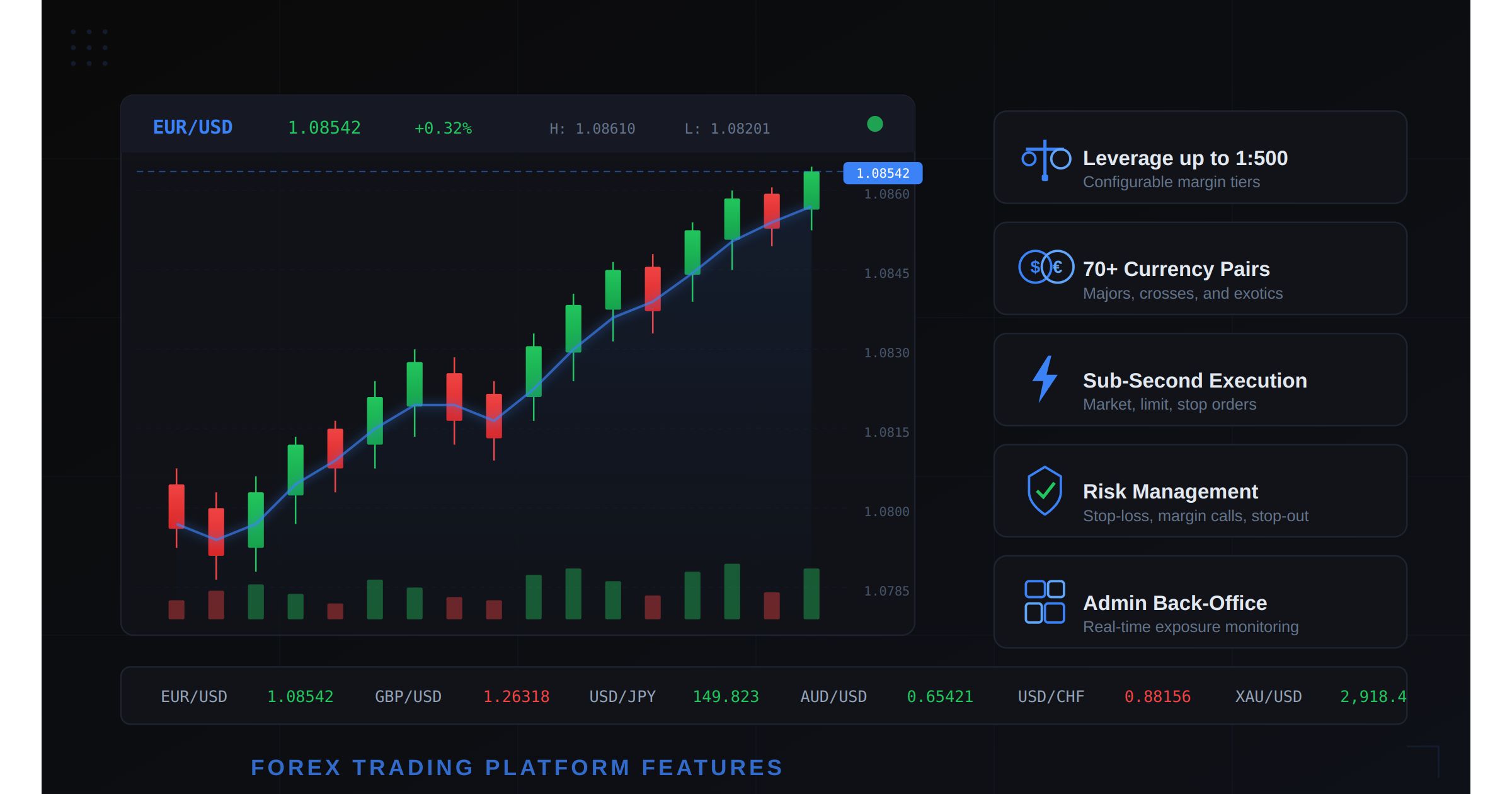
FX取引プラットフォーム機能チェックリスト 2026年にブローカーが必要なすべて
目次
- 2026年はブランドよりプラットフォーム機能が重要な理由
- 注文執行エンジン すべての基盤
- チャートとテクニカル分析 TradingView一択
- 通貨ペアとCFD商品
- レバレッジと証拠金管理
- ブローカーとトレーダーのためのリスク管理ツール
- 管理パネルとバックオフィス業務
- モバイル取引 出来高の大半はここから
- 決済と入金オプション
- 規制コンプライアンス機能
- MetaTraderとセルフホスト型の本当の比較
- 必須機能とあると便利な機能のチェックリスト
- ブローカレッジに適したプラットフォームの選び方
- よくある質問
FX市場の1日の取引高は7.5兆ドルに上ります。トレーダーは、最狭スプレッド、最速の執行、最高の体験をうたう数百ものブローカーから選ぶことができます。この環境において、運営するプラットフォームはバックエンドの細部ではありません。それが商品そのものです。プラットフォームが対応している機能、対応していない機能が、トレーダーが定着し、入金を増やし、他者を紹介するか、あるいは最初の1週間で競合へ去るかを直接決定します。
このガイドは、2026年にブローカーが必要とするFX取引プラットフォーム機能の完全なチェックリストです。マーケティング向けの概要ではありません。既存の大手プレイヤーと競合できるFXブローカレッジを立ち上げ、運営し、拡大するために必要な、技術面・運用面の機能セットです。
FX取引ソフトウェアを検討している方、ゼロからブローカレッジを構築する予定の方にとって、これは必須の参考文書です。
2026年はブランドよりプラットフォーム機能が重要な理由
10年前、ブローカーはブランドだけで差別化できました。巨額の広告予算、スポーツスポンサーシップ、著名人の起用が口座開設を牽引しました。プラットフォーム自体はほぼ例外なくMetaTrader 4で、どのブローカーでも同一であり、スプレッドの上乗せと手数料体系だけが差別化要素でした。
その時代は終わりを告げています。2026年のトレーダーはより洗練されています。執行統計、チャート機能、モバイル体験の質、各プラットフォームで利用できる具体的なツールを比較します。チャート機能が限られ、執行が遅い旧式のプラットフォームを運営するブローカーは、マーケティング費用に関わらず顧客を失います。
この変化を推進している3つのトレンドがあります。
リテールトレーダーの高度化。 平均的なリテールFXトレーダーは現在、TradingViewを使用し、アルゴリズム取引の概念を理解し、5年前には機関投資家グレードだったチャート・分析ツールを期待しています。少数の指標を備えた基本的なローソク足チャートでは、この層を満足させられません。
マルチアセット需要。 トレーダーはFX、暗号資産、コモディティ、株価指数に別々のプラットフォームを望んでいません。1つの口座、1つのログイン、すべての資産クラスで機能する1つのツールセットを望んでいます。FXペアのみをサポートするプラットフォームは、統合口座管理によるマルチアセット取引を提供するプラットフォームに敗れます。
規制の強化。 EU、英国、オーストラリア、そしてアジアや中東でもますます、規制当局は特定の機能を義務付けています。ゼロカット、レバレッジ制限、リスク開示、取引報告です。これらの機能が組み込まれていないプラットフォームは、ブローカーに高額なカスタム開発か規制不遵守のどちらかを強います。
以下の機能リストは運用上の優先度順に構成されています。最初の5つのカテゴリーに欠落がある場合は、他を気にする前にそれを修正してください。
注文執行エンジン すべての基盤
執行エンジンはあらゆるFX取引プラットフォームの中核です。注文がどのように受け取られ、マッチングされ、約定し、報告されるかを決定します。他のすべての機能は、このレイヤーが正しく動作することに依存します。
プラットフォームが対応すべき注文タイプ
競争力のあるFXプラットフォームは、以下のすべての注文タイプをサポートする必要があります。
- 成行注文: 最良の利用可能価格で即時執行。リテールトレーダーに最も一般的な注文タイプです。約定時間は200ミリ秒未満であるべきです。
- 指値注文: 指定価格またはそれ以上の有利な価格での執行。買い指値(現在価格より下)と売り指値(現在価格より上)の両方をサポートする必要があります。
- 逆指値注文(ストップロス): 市場が指定価格水準に達したときにトリガーされます。リスク管理に不可欠です。トリガー後は成行注文として執行される必要があります。
- 逆指値付き指値注文(ストップリミット): ストップ価格に達したときに指値注文をトリガーするハイブリッド。価格保護を提供しますが、急変動する市場では不成立のリスクがあります。
- トレーリングストップ: 市場がトレーダーに有利に動くにつれて自動調整されるストップ注文。トレーリング距離はpipsまたはパーセンテージで設定可能であるべきです。
- OCO(ワンキャンセルズアザー): 一方が約定すると他方が自動キャンセルされる、連動した2つの注文。ブラケット取引戦略に不可欠です。
- 利益確定(テイクプロフィット)注文: 指定した利益目標での自動ポジション決済。任意のオープンポジションに付加できるべきです。
執行速度と信頼性
1秒未満の執行はベースラインの期待値です。最高水準のプラットフォームは50〜150ミリ秒で注文を執行します。500ミリ秒を超えると目に見えるスリッページが発生し、顧客の苦情につながります。
執行エンジンは以下も処理する必要があります。
- リクオート管理: 注文送信から執行までの間に価格が動いた場合、プラットフォームは新しい価格で約定するか(設定可能なスリッページ許容範囲付き)、透明なリクオートで拒否するかのどちらかでなければなりません。
- 分割約定: 大口注文について、エンジンは分割約定をサポートし、平均約定価格を表示すべきです。
- 注文キュー管理: 高ボラティリティイベント(雇用統計、ECB決定、フラッシュクラッシュ)の間、エンジンはクラッシュしたり注文を失ったりすることなく、注文をキューに入れて処理しなければなりません。
堅牢な取引エンジンはオプションではありません。ブローカレッジの技術的コンポーネントの中で最も重要なものです。
チャートとテクニカル分析 TradingView一択
チャートはトレーダーが画面時間の80%を費やす場所です。チャートの品質はプラットフォームの品質の印象に直接影響します。
TradingView連携
TradingViewは金融チャートの事実上の標準になりました。トレーダーはそれを期待しています。指標が少なく、レンダリングが劣り、コミュニティ機能のない独自チャートソリューションで競争するのは負け戦です。
プラットフォームのチャート機能を通じた適切なTradingView連携には、以下が含まれるべきです。
- 100以上の内蔵テクニカル指標: 移動平均線(SMA、EMA、WMA)、RSI、MACD、ボリンジャーバンド、ストキャスティクス、一目均衡表など多数。
- 50以上の描画ツール: トレンドライン、フィボナッチリトレースメント、ギャンファン、ピッチフォーク、矩形、カスタム注釈。
- 複数のチャートタイプ: ローソク足、OHLCバー、ライン、エリア、平均足、練行足、ポイント&フィギュア。
- マルチタイムフレーム分析: 1分、5分、15分、1時間、4時間、日、週、月の時間軸。
- マルチチャートレイアウト: デスクトップで2、4、6、8枚のチャートを同時に表示できること。
- リアルタイムデータストリーミング: チャート更新はポーリングではなくWebSocketによるリアルタイムであること。価格変動とチャート更新の間に目に見える遅延があると信頼が損なわれます。
- チャートからの発注: 価格水準をクリックしてチャート上で直接注文できる機能。この機能だけで取引頻度が大幅に向上します。
カスタム指標とアラート
上級トレーダーはカスタム指標を作成し、プラットフォームが以下をサポートすることを必要とします。
- カスタム指標スクリプティング(TradingView経由のPine Scriptまたはプラットフォームネイティブ)
- 指標条件に基づく価格アラート
- アラート発動時のプッシュ通知
- アラート履歴と管理
通貨ペアとCFD商品
取引可能な商品の範囲は、対象市場に直接影響します。20のFXペアのみのプラットフォームは、70以上のペアに加えてCFDを提供するプラットフォームにトレーダーを奪われます。
最低限の商品カバレッジ
| カテゴリー | 商品数 | 例 |
|---|---|---|
| メジャーペア | 7 | EUR/USD, GBP/USD, USD/JPY, USD/CHF, AUD/USD, NZD/USD, USD/CAD |
| クロスペア | 15〜20 | EUR/GBP, EUR/JPY, GBP/JPY, AUD/NZD, CAD/JPY |
| エキゾチックペア | 20〜30 | USD/TRY, USD/ZAR, EUR/PLN, USD/MXN, USD/SGD |
| 貴金属 | 4〜6 | XAU/USD, XAG/USD, XPT/USD, XPD/USD |
| エネルギーCFD | 3〜5 | WTI原油、ブレント原油、天然ガス |
| 株価指数CFD | 8〜12 | S&P 500, NASDAQ 100, DAX 40, FTSE 100, Nikkei 225 |
| 暗号資産CFD | 5〜10 | BTC/USD, ETH/USD, XRP/USD, LTC/USD |
合計は最低70以上の商品であるべきです。各商品には以下の設定が必要です。
- スプレッド上乗せ(固定または変動)
- スワップレート(ロングとショート、毎日または毎週更新)
- 取引時間とセッション定義
- 商品カテゴリーごとのレバレッジ上限
- 最小および最大ロットサイズ
暗号資産取引所も運営している場合、暗号資産現物とFXを単一プラットフォームに統合することで、ユーザー獲得と定着において大きな競争優位が得られます。
レバレッジと証拠金管理
レバレッジはFX取引をリテールトレーダーに魅力的にするものです。同時に、リスク管理を不可欠にするものでもあります。プラットフォームはこの両面を処理しなければなりません。
設定可能なレバレッジ階層
管轄区域によってレバレッジ上限は異なります。
- EU(ESMA): メジャーペア1:30、マイナーペア1:20、コモディティ1:10、株価指数1:5、暗号資産CFD1:2
- 英国(FCA): リテールはESMAと同じ、プロフェッショナル顧客は最大1:500
- オーストラリア(ASIC): メジャーペア1:30(リテール)、プロフェッショナルはより高い水準
- オフショア(SVG、セーシェル、バヌアツ): 最大1:500または1:1000
プラットフォームは以下をサポートする必要があります。
- 管轄区域ごとのレバレッジプロファイル: 同じ商品でも、トレーダーの規制管轄区域に応じて異なるレバレッジ上限を設定できます。
- 口座タイプごとのレバレッジ: スタンダード口座1:100、プロフェッショナル口座1:500、機関投資家口座はカスタム水準。
- 動的レバレッジ: ポジションサイズに基づいてスケーリングするレバレッジ。例: 最初の1万ドルの想定元本に1:500、次の5万ドルに1:200、それ以上に1:100。
- リアルタイム証拠金計算: 使用証拠金、余剰証拠金、証拠金維持率パーセンテージが、すべての価格ティックでリアルタイムに更新されます。
プラットフォームの信用取引機能は、注文送信前に証拠金要件を明確に表示し、意図しない過剰レバレッジを防ぐべきです。
マージンコールとストップアウトの自動化
システムは自動的に以下を実行する必要があります。
- マージンコールの発行: 証拠金維持率が設定可能な閾値(通常100%)を下回ったとき。
- ストップアウトの執行: 証拠金維持率がストップアウト水準(通常50%)を下回ったとき。システムは最大の含み損ポジションから順に決済し、その後再評価すべきです。
- ゼロカットの執行: 負の口座残高をゼロにリセットすることによる負残高保護。ESMAおよびFCA規制では必須です。
ブローカーとトレーダーのためのリスク管理ツール
リスク管理は2つのレベルで機能します。トレーダーが自身のリスクを管理するためのツールと、ブローカーが全体のエクスポージャーを管理するためのツールです。
トレーダー向けリスク管理
すべてのプラットフォームは以下を提供しなければなりません。
- ストップロス注文: エントリー時またはオープン後に任意のポジションに付加可能。一部の規制当局ではデフォルトオプションとして義務付けられています。
- テイクプロフィット注文: 利益目標での自動ポジション決済。
- 保証付きストップロス注文(GSLO): ギャップを越えても指定価格で正確に執行されるストップロス。通常、追加プレミアムがかかります。
- ポジションサイズ計算機: 口座残高、リスクパーセンテージ、ストップロス距離に基づいてロットサイズを計算するツール。
- リスクリワード表示: 保留中の注文のリスクリワード比率の視覚的表現。
- 最大オープンポジション制限: 過度のエクスポージャーを防ぐため、口座タイプごとに設定可能。
ブローカー向けリスク管理
ブローカー側には高度なリスク管理パネルが必要です。
- リアルタイムエクスポージャーダッシュボード: 商品ごと、顧客グループごと、帳簿全体のネットロング/ショートエクスポージャー。
- Aブック/Bブック振り分け: 設定可能なルール(顧客プロファイル、ポジションサイズ、商品、ボラティリティ)に基づいて、顧客注文をリクイディティプロバイダーに回す(Aブック)か、内部で抱える(Bブック)かを振り分ける機能。
- ヘッジエンジン: 設定可能な閾値を超えたネットエクスポージャーの自動ヘッジ。
- 顧客プロファイリング: 収益性、取引スタイル、リスクプロファイルによる顧客分類で、振り分け判断に活用。
- 1日の損失限度: 顧客の1日の損失が設定可能な閾値を超えたときの自動口座制限。
- サーキットブレーカー: 極端なボラティリティ時、またはブローカーの総エクスポージャーが事前定義された上限を超えたときの、特定商品の自動取引停止。
セキュリティインフラは、ロールベースのアクセス制御、監査ログ、暗号化でこれらすべての運用を保護しなければなりません。
管理パネルとバックオフィス業務
FXブローカレッジは単なる取引インターフェースではありません。コンプライアンス義務、顧客管理ニーズ、運用の複雑さを持つ金融サービス事業です。管理パネルはブローカーがこれらすべてを管理する場所です。
必須の管理機能
管理ダッシュボードには以下が含まれなければなりません。
顧客管理:
- KYCステータス、口座タイプ、レバレッジ設定、取引履歴を含む完全な顧客データベース
- 口座承認および却下ワークフロー
- 顧客コミュニケーションツール(メール、プラットフォーム内メッセージング)
- 口座残高調整(ボーナス、訂正、補償)
- 取引口座の作成と管理(顧客ごとの複数口座)
財務オペレーション:
- 多段階承認による入出金処理
- 決済ゲートウェイ管理と照合
- 手数料設定(商品ごと、口座タイプごと、顧客グループごと)
- IB(イントロデューシングブローカー)コミッション計算と支払管理
- 日次スワップレート適用とレポーティング
レポーティングと分析:
- 日次、週次、月次の損益レポート(顧客ごと、商品ごと、全体)
- 出来高と収益ダッシュボード
- 顧客獲得と定着の指標
- 規制報告エクスポート(EMIR、MiFIRの取引報告)
- リアルタイムシステムヘルス監視
コンプライアンスツール:
- 書類アップロード、審査、承認を含むKYC/AML認証ワークフロー
- 疑わしい取引の監視と報告(SAR)
- 顧客リスク分類(リテール、プロフェッショナル、適格カウンターパーティ)
- 規制管轄区域ごとのレバレッジ強制
- 取引およびトランザクションの監査証跡
モバイル取引 出来高の大半はここから
2026年には、リテールFX取引高の60%以上がモバイルデバイスから発生しています。洗練されたフル機能のモバイル取引アプリを持たないブローカーは、潜在的な出来高の大半を逃しています。
モバイル機能要件
モバイルアプリはデスクトップの機能を反映しなければなりません。
- 完全な注文管理: モバイルで利用可能なすべての注文タイプ(成行、指値、逆指値、トレーリングストップ、OCO)。
- TradingViewチャート: デスクトップと同じチャート体験をタッチ操作向けに最適化。ピンチでズーム、スワイプでスクロール、タップで発注。
- リアルタイムプッシュ通知: 価格アラート、マージンコール、約定、ストップアウト通知。
- 生体認証: Face IDと指紋ログイン。フォールバックとしてPINベースのアクセス。
- ワンタップ取引: 頻繁な操作のためのクイック注文ボタン(全ポジション決済、ポジション反転、ポジションサイズ倍増)。
- ポートフォリオ概要: リアルタイム損益、オープンポジション、保留注文、口座純資産を1画面に表示。
- 入出金: モバイルブラウザへのリダイレクトではなく、モバイルアプリ内での完全な決済機能。
パフォーマンスベンチマーク
- アプリ起動から取引画面まで: 3秒未満
- 注文送信から確認まで: 500ミリ秒未満
- 4G接続でのチャートレンダリング: 2秒未満
- プッシュ通知配信: イベント発生から5秒未満
デスクトップと比べてもっさりしていたり機能が限られていたりするモバイルアプリは、トレーダーを競合へ追いやります。これは二の次の優先事項ではありません。
決済と入金オプション
入金のスピードと利便性はコンバージョン率に直接影響します。入金フローのすべての摩擦点が潜在的トレーダーを失わせます。
対応すべき決済方法
| 方法 | 処理時間 | カバレッジ | 優先度 |
|---|---|---|---|
| 銀行電信送金 | 1〜3営業日 | グローバル | 必須 |
| クレジット/デビットカード(Visa、Mastercard) | 即時 | グローバル | 必須 |
| 電子ウォレット(Skrill、Neteller) | 即時 | EU、アジア | 必須 |
| 暗号資産入金(BTC、USDT、ETH) | 10〜30分 | グローバル | 2026年は必須 |
| 国内銀行振込 | 同日 | 地域限定 | 高優先度 |
| Apple Pay / Google Pay | 即時 | モバイルユーザー | あると便利 |
| PIX(ブラジル) | 即時 | ブラジル | 地域限定 |
| UPI(インド) | 即時 | インド | 地域限定 |
入出金機能
- 自動両替: ベース通貨以外での入金は、競争力のあるレートで自動的に両替されるべきです。
- マルチカレンシーウォレット: USD、EUR、GBP、その他の主要通貨建て口座のサポート。
- 入金元への出金: 資金を元の入金方法に返還する規制要件。
- 処理の自動化: 設定可能な閾値未満の出金は自動処理すべきです。閾値を超える場合は手動承認。
- 手数料の透明性: すべての入出金手数料を取引確定前に表示。
法定通貨と暗号資産の両方のレールをサポートするリクイディティエンジンとの統合により、より広いカバレッジとより速い決済が得られます。
規制コンプライアンス機能
コンプライアンスはオプションではありません。適切な規制機能なしに運営すると、ブローカーは罰金、ライセンス取消し、刑事責任にさらされます。プラットフォームはアーキテクチャにコンプライアンスが組み込まれていなければなりません。
管轄区域固有の要件
欧州連合(CySEC、BaFin):
- MiFID II取引報告(ARMへの日次報告)
- ベストエクスキューションポリシーの執行と報告
- ゼロカット(必須)
- ESMAガイドラインに基づくレバレッジ上限
- すべてのマーケティング資料とプラットフォームインターフェースへのリスク警告表示
- 顧客分類(リテール、プロフェッショナル、適格カウンターパーティ)
- 各CFD商品の重要情報文書(KID)
英国(FCA):
- EUと同じ内容に加え、顧客資金分別管理報告のCASSルール
- Consumer Duty(消費者義務)コンプライアンス機能
- 強化された適合性評価
オーストラリア(ASIC):
- 商品開示文書(PDS)
- ターゲット市場決定(TMD)
- ASIC規制に沿ったレバレッジ上限
- 設計・販売義務(DDO)コンプライアンス
オフショア管轄区域(SVG、セーシェル、バヌアツ):
- 基本的なKYC/AML手続き
- 取引記録の保管(最低5年)
- リスク開示
プラットフォームのコンプライアンス機能
プラットフォームには以下が含まれるべきです。
- リスク開示ポップアップ: 管轄区域ごとに設定可能で、口座開設時と初回取引前に表示。
- 適切性/適合性テスト: レバレッジ商品へのアクセスを許可する前にトレーダーの知識を評価する質問票。
- 自動レバレッジ制限: プラットフォームはトレーダーの管轄区域と分類に基づいて正しいレバレッジを自動的に適用すべきです。
- 取引報告エンジン: 規制報告(EMIR、MiFIR、ASIC報告)の自動生成と提出。
- 顧客資金分別管理トラッキング: 分別管理資金と運営資金を表示するダッシュボード。
- 監査証跡: すべての取引、変更、キャンセル、システムイベントの完全で改ざん不可能な記録。規制検査用にエクスポート可能。
MetaTraderとセルフホスト型の本当の比較
MetaTrader 4および5は、FX取引プラットフォームで最も認知された名前であり続けています。しかし認知度は最適な選択を意味しません。2026年に選択肢を評価するブローカーのための、率直な比較を示します。
機能比較表
| 機能 | MetaTrader 4/5 | セルフホスト型(Codono) |
|---|---|---|
| 月額ライセンス | 月額5,000〜15,000ドル | 買い切り、継続ライセンスなし |
| ソースコードアクセス | なし(バイナリのみ) | 暗号化されていないフルソースコード |
| チャート | 内蔵(カスタマイズ制限あり) | TradingView連携(100以上の指標) |
| 注文タイプ | 成行、指値、逆指値、トレーリングストップ | MTのすべてのタイプ+OCO、ブラケット、TWAP |
| モバイルアプリ | MT4/MT5ブランドのアプリ | カスタムブランドのiOS/Androidアプリ |
| カスタマイズ | プラグインとEAに限定 | 無制限(フルソースコードアクセス) |
| マルチアセット対応 | FX+CFD | FX+CFD+暗号資産現物+DeFi |
| 管理パネル | マネージャーターミナル(デスクトップのみ) | フルAPI付きWebベース管理画面 |
| ブランディング | MetaTraderブランドが表示される | 完全なホワイトラベル |
| 暗号資産入金 | サードパーティブリッジが必要 | ネイティブ暗号資産ウォレット統合 |
| ボット用API | MQL4/MQL5のみ | REST API+WebSocket+FIXプロトコル |
| 顧客ポータル | 基本CRMを別途用意 | KYC付き内蔵顧客ポータル |
| 規制報告 | 手動エクスポートが必要 | 自動報告エンジン |
| スケーラビリティ | サーバーライセンス制限 | 水平スケーリング、ユーザー制限なし |
| Aブック/Bブック | プラグインが必要(2,000〜1万ドル) | 内蔵ルーティングエンジン |
| コピートレード | ブリッジが必要(月額1,000〜5,000ドル) | 内蔵ソーシャル/コピートレードモジュール |
コストの現実
中規模ブローカーのMetaTraderセットアップには、通常以下のコストがかかります。
- MT4/MT5サーバーライセンス: 月額7,500ドル
- ホワイトラベル設定費: 一時金5,000〜1万ドル
- CRMシステム(別途): 月額500〜2,000ドル
- 決済ブリッジ: 月額1,000〜3,000ドル
- Aブック/Bブックプラグイン: 一時金5,000〜1万ドル+サポート費
- コピートレードプラグイン: 月額2,000〜5,000ドル
- モバイルアプリのカスタマイズ: アイコンとスプラッシュ画面に限定
初年度総コスト: 12万〜25万ドル
CodonoのFX取引ソフトウェアのようなセルフホスト型プラットフォームは、その何分の一かのコストで、フルソースコードアクセスとロードマップの主導権という根本的な優位性があります。
MetaTraderが依然として理にかなう場合
以下の場合、MetaTraderは依然として合理的な選択です。
- トレーダーがMT4/MT5互換性を明確に要求する場合(既存のExpert Advisorを使用しているなど)
- MetaTraderのブランド認知が口座開設を牽引する市場に参入する場合
- セルフホスト型プラットフォームを管理する技術スタッフがいない場合
それ以外のすべての人、特に差別化し、コストを管理し、マルチアセット取引を提供したいブローカーにとって、セルフホスト型プラットフォームはより良い長期投資です。
必須機能とあると便利な機能のチェックリスト
すべての機能が同じ優先度ではありません。ローンチ計画のための分類済みチェックリストを示します。
機能優先度マトリックス
| 機能 | 優先度 | カテゴリー | 備考 |
|---|---|---|---|
| 成行/指値/逆指値注文 | 必須 | 執行 | これなしにローンチ不可 |
| 1秒未満の執行 | 必須 | 執行 | 顧客定着に直接影響 |
| TradingViewチャート | 必須 | 分析 | 2026年の業界標準 |
| 50以上の通貨ペア | 必須 | 商品 | 競争力ある提供の最低条件 |
| 設定可能なレバレッジ | 必須 | リスク | 規制要件 |
| マージンコール/ストップアウト | 必須 | リスク | 規制および運用要件 |
| ゼロカット | 必須 | リスク | EU、英国、豪州で必須 |
| KYC/AML認証 | 必須 | コンプライアンス | これなしに運営不可 |
| 管理ダッシュボード | 必須 | 運用 | 日常業務に不可欠 |
| モバイル取引アプリ | 必須 | アクセス | 出来高の60%以上がモバイル |
| 銀行振込入金 | 必須 | 決済 | 普遍的な決済方法 |
| カード入金 | 必須 | 決済 | 最高のコンバージョン率 |
| SSL/TLS暗号化 | 必須 | セキュリティ | 交渉の余地なし |
| 2FA認証 | 必須 | セキュリティ | 標準的な期待 |
| OCO/ブラケット注文 | 高優先度 | 執行 | プロトレーダーが期待 |
| トレーリングストップ注文 | 高優先度 | 執行 | アクティブトレーダーからの高い需要 |
| CFD商品(メタル、株価指数) | 高優先度 | 商品 | 対象市場の拡大 |
| 暗号資産CFD | 高優先度 | 商品 | 需要が成長中 |
| 電子ウォレット決済 | 高優先度 | 決済 | EUとアジアで標準 |
| 暗号資産入金 | 高優先度 | 決済 | 世界的に標準化が進行 |
| Aブック/Bブック振り分け | 高優先度 | リスク | 収益最適化 |
| IB管理システム | 高優先度 | 運用 | 重要な獲得チャネル |
| 取引報告 | 高優先度 | コンプライアンス | ほとんどの管轄区域で必要 |
| コピー/ソーシャルトレード | あると便利 | 機能 | 差別化要素、ローンチ時の必須ではない |
| PAMM/MAM口座 | あると便利 | 機能 | 資産運用者向け |
| 取引シグナルマーケットプレイス | あると便利 | 機能 | コミュニティ構築 |
| 経済カレンダー統合 | あると便利 | 分析 | 利便性機能 |
| センチメント指標 | あると便利 | 分析 | 差別化要素 |
| EA用VPSホスティング | あると便利 | インフラ | アルゴリズムトレーダー向け |
| カスタム指標ビルダー | あると便利 | 分析 | 高度な機能 |
| リーダーボード/トーナメント | あると便利 | エンゲージメント | 定着のためのゲーミフィケーション |
ローンチの範囲を決める際にこのマトリックスを使用してください。すべての必須機能から始め、ローンチ前に高優先度項目を追加し、ローンチ後のアップデートで便利機能を段階的に導入します。
ブローカレッジに適したプラットフォームの選び方
プラットフォームの決定は、FXブローカーが下す最も重要な技術的選択です。コスト構造、競争上の差別化、スケーラビリティの天井、製品を改善できるスピードを決定します。
意思決定フレームワーク
予算の考慮事項:
初年度の技術予算の合計が5万ドル未満の場合、セルフホスト型プラットフォームが唯一の実行可能な選択肢です。MetaTraderのライセンスだけで予算の大半を消費し、CRM、決済、コンプライアンスツール、マーケティング技術に何も残りません。
各ティアに含まれる内容の詳細な内訳は、料金ページをご確認ください。
差別化戦略:
価格で競争する計画(タイトスプレッド、低手数料)なら、MetaTraderで十分です。同質的な製品内での競争だからです。体験、機能、マルチアセット機能で競争する計画なら、制限なくカスタマイズできるプラットフォームが必要です。
マルチアセット計画:
FXと並行して暗号資産現物取引を提供する計画、または今後12か月以内に追加する意向がある場合、MetaTraderはこのために設計されていません。Codonoの取引所ソフトウェアのように、FXと暗号資産の両方をネイティブにサポートするプラットフォームは、統合の複雑さを完全に排除します。
技術能力:
セルフホスト型プラットフォームは、デプロイ、保守、カスタマイズのための技術チームを必要とします。開発リソースがまったくなく、採用予定もない場合、マネージドMetaTraderホワイトラベルが最も抵抗の少ない道です。ただし、利便性と引き換えに独立性を手放しており、月額コストは時間とともに大きく複利で膨らむことを理解してください。
ローンチタイムラインの現実
各オプションの現実的なタイムライン:
MetaTraderホワイトラベル:
- ライセンス承認: 2〜4週間
- 設定とテスト: 2〜3週間
- CRM統合: 2〜4週間
- ローンチ: 合計6〜10週間
セルフホスト型プラットフォーム(Codono):
- ソースコード納品とサーバーセットアップ: 1週間
- ブランディングカスタマイズ: 1〜2週間
- 決済統合とテスト: 2〜3週間
- コンプライアンス設定: 1〜2週間
- ローンチ: 合計5〜8週間
どちらのオプションも2か月以内にローンチ可能です。MetaTraderのライセンス承認プロセスと、CRM、決済、コンプライアンスのための個別のサードパーティシステム統合の必要性を考慮すると、セルフホスト型ルートの方が実際には速いです。
コミットする前に、実際に操作してプラットフォームを評価するためにライブデモをリクエストしてください。
FXプラットフォームの機能スタックを構築する
2026年のFX取引プラットフォーム市場は網羅性を報います。トレーダーは利用可能な機能、執行の質、モバイル体験でブローカーを評価します。規制当局はコンプライアンスツールと報告能力でブローカーを評価します。プラットフォームは両方のオーディエンスを同時に満足させなければなりません。
このガイドのチェックリストは完全であり、かつ優先順位付けされています。初日にすべての機能が必要なわけではありません。ローンチ時にすべての必須機能、最初の四半期以内に高優先度機能、そして実際のトレーダーのフィードバックに基づいて便利機能を追加するロードマップが必要です。
堅牢な執行エンジン、TradingViewチャート、完全なリスク管理、洗練されたモバイル体験を備えてローンチするブローカーこそが、トレーダーを定着させるブローカーです。その他すべて(スプレッド、マーケティング、パートナーシップ)は、良いプラットフォームを増幅させますが、悪いプラットフォームを補うことはできません。
MetaTrader、セルフホスト型ソリューション、ハイブリッドアプローチのどれを選ぶにせよ、重要な機能から始めてそこから構築してください。目標は初日にすべてのチェックボックスにチェックを入れることではありません。トレーダーが離れたくないプラットフォームを持つことです。
現在のプラットフォームをこのチェックリストと比較してギャップを見つけた場合は、CodonoのFX取引プラットフォームをご検討ください。上記のすべての必須機能と高優先度機能を、フルソースコードアクセスと継続ライセンス料なしでカバーしています。マルチアセット戦略を計画しているブローカー向けには、2026年のFXブローカレッジの始め方ガイドが完全な運用ロードマップを提供します。
よくある質問
Codono Team
Codono builds enterprise-grade crypto exchange software deployed by 250+ operators across 30+ countries. Our team writes from production experience running spot, derivatives, custody, and compliance at scale.
View all posts by Codono Team →