라이브 제품 데모

체험하세요 Codono 구매 전에

라이브 데모로 완전한 암호화폐 거래소 플랫폼을 테스트하세요. 거래 프론트엔드, 관리자 패널 및 모바일 앱을 살펴보세요. 구매 시 정확히 무엇을 받게 되는지 확인하세요.

3 데모 환경
전체 기능 접근
아니요 가입 필요
Codono 암호화폐 거래소 트레이딩 인터페이스 데모

데모 체험 선택

귀하의 요구에 맞는 기능을 평가하기 위해 플랫폼의 다른 부분에 접속하세요

라이브 데모

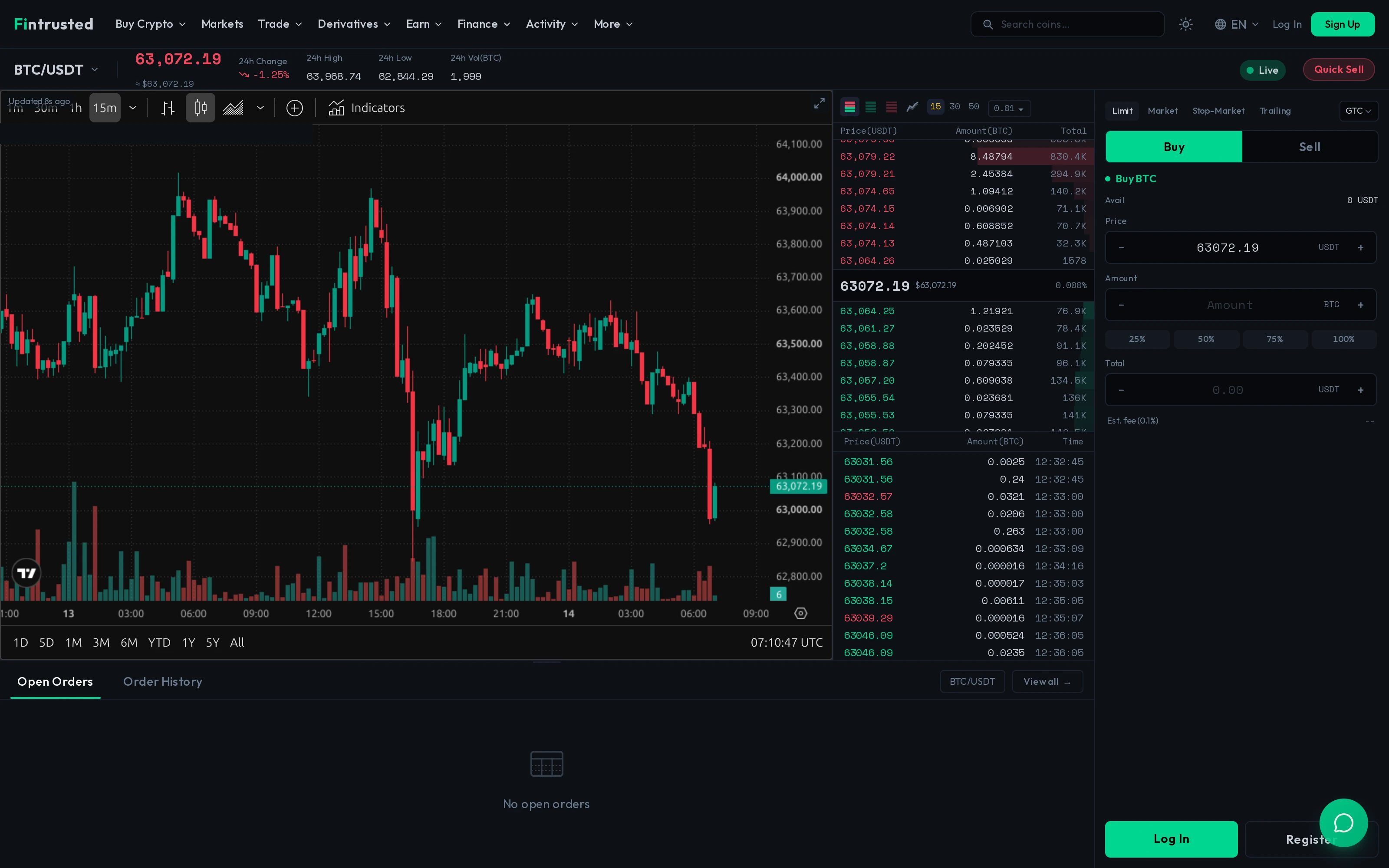
거래 프론트엔드

현물, 마진 및 선물 거래가 포함된 전체 거래 인터페이스. 실시간 차트, 주문장 및 포트폴리오 관리.
  • 현물 거래
  • 마진 거래
  • 선물/무기한
  • P2P 마켓플레이스
  • 지갑 관리
예약 데모

관리자 패널

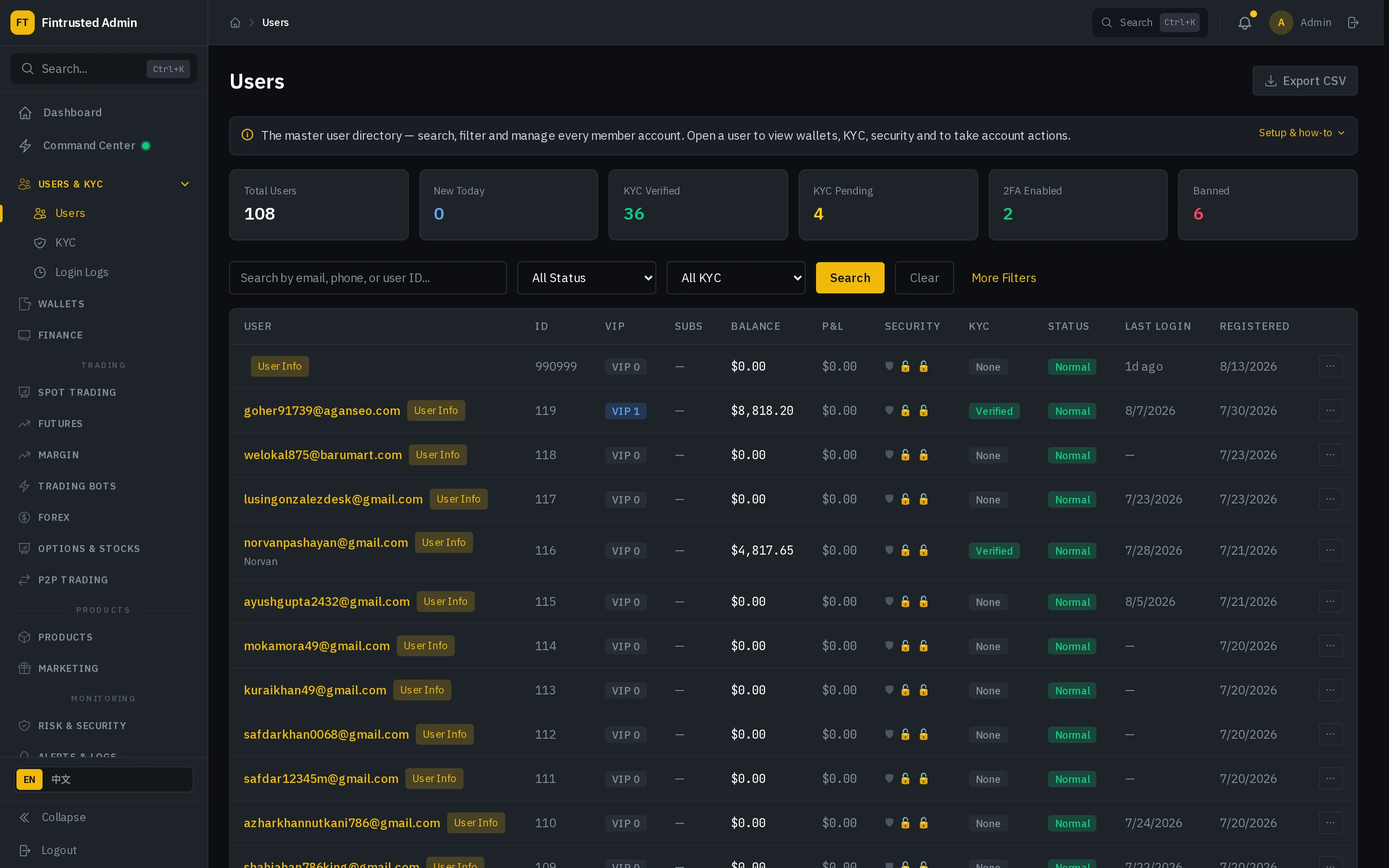
완전한 백오피스 관리 시스템. 사용자 관리, 수수료 구성, KYC 처리 및 시스템 모니터링.
  • 사용자 관리
  • 수수료 구성
  • KYC/AML 제어
  • 재무 보고서
  • 시스템 설정
지금 이용 가능

모바일 앱

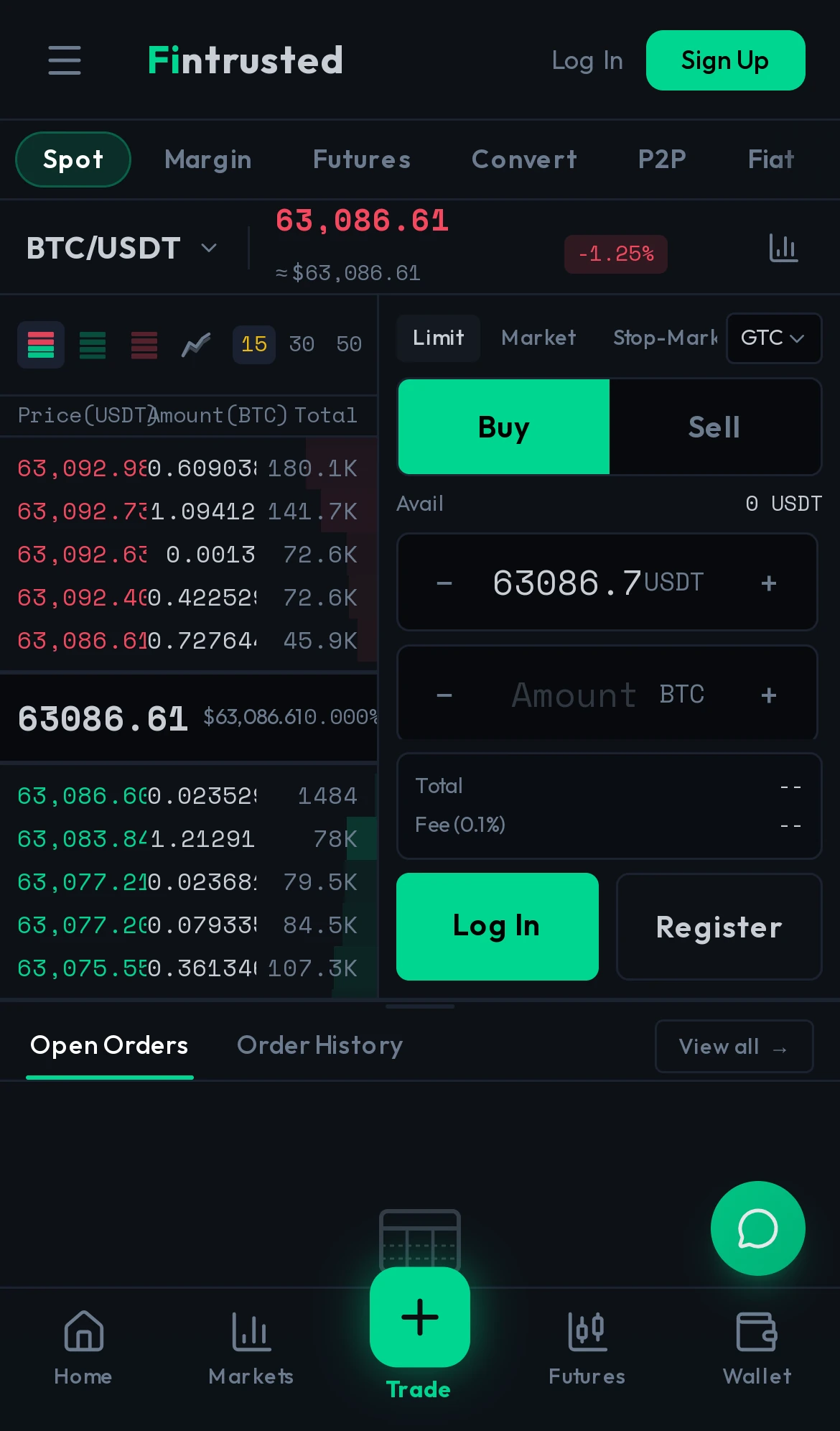
네이티브 iOS 및 Android 거래 앱. 모바일에 최적화된 경험으로 완전한 거래 기능.

  • iOS 앱 (TestFlight)
  • Android 앱 (APK)
  • 푸시 알림
  • 생체 로그인
  • 전체 거래 기능

거래 데모 접속

사전 충전된 테스트 계정으로 거래 데모 접속을 요청하세요:

데모 URL https://demo.codono.com
이메일 amber
비밀번호 password

즉시 접속을 위해 채팅으로 문의하세요

데모 계정은 테스트 자산으로 사전 충전되어 있습니다. 모든 거래는 시뮬레이션이며 실제 거래는 발생하지 않습니다.

What You'll Experience in the Demo

The Codono demo is a fully functional sandbox environment running the same codebase that powers live exchanges. Every feature works with simulated balances — you can place real orders, execute trades, and see them clear through the matching engine in real time. Nothing is mocked or pre-recorded.

Trading Interface: Place market, limit, stop-limit, and OCO orders on BTC/USDT, ETH/USDT, and 20+ other pairs. Watch the order book update in real time with TradingView charts showing live candlesticks, depth charts, and 100+ technical indicators. Switch between spot, margin, and futures trading modes to see how each module works.

Admin Dashboard: Access the full admin panel to see how exchange operators manage users, configure trading pairs, set fee structures, monitor deposits and withdrawals, review KYC submissions, and track platform metrics. The admin demo shows every tool you'll use to run your exchange day-to-day.

Mobile Experience: Test the native mobile trading interface on any device. The mobile app demo includes biometric login, real-time push notifications, and the complete trading workflow — from deposit to trade to withdrawal.

Demo Environment Details

The sandbox resets every 24 hours to ensure a clean experience. All data is simulated — no real funds, no real blockchain transactions, no personal data stored. You can explore freely without risk. The demo runs on the same infrastructure configuration recommended for production deployments, so performance characteristics match what you'll see on a live exchange.

After exploring the demo, check our pricing to see which package fits your requirements, or contact our team for a guided walkthrough tailored to your specific use case.

데모에서 볼 수 있는 내용

거래 기능

  • 실시간 주문장 및 차트
  • 현물, 마진 및 선물 거래
  • 다양한 주문 유형 (지정가, 시장가, 손절매)
  • 포트폴리오 및 잔고 관리
  • 거래 내역 및 미체결 주문

사용자 경험

  • 가입 및 KYC 절차
  • 지갑 입출금 UI
  • 계정 보안 설정
  • 추천 대시보드
  • 다국어 지원

관리자 기능

  • 사용자 및 KYC 관리
  • 수수료 및 커미션 설정
  • 코인 및 거래쌍 구성
  • 재무 보고서
  • 시스템 모니터링

기술 품질

  • 100,000+ TPS 매칭 엔진
  • 밀리초 미만 지연 시간
  • WebSocket 실시간 업데이트
  • 모바일 반응형 디자인
  • REST 및 WebSocket API

What Smart Operators Evaluate in the Demo

The demo environment runs the same codebase that powers live exchanges, so every feature you test reflects real production behavior. Here's what experienced operators look for during their evaluation — and what you should check before making a licensing decision.

Matching engine speed: Place a market order and watch how fast it fills against the order book. Then place a limit order and see it appear in the book instantly. The trading engine processes orders with sub-5ms latency — you should feel zero delay between clicking "Buy" and seeing the trade confirmation.

Admin granularity: Switch to the admin panel and try configuring a new trading pair, adjusting fee tiers, reviewing a simulated KYC submission, and checking deposit/withdrawal queues. The admin dashboard should feel like a complete operations center — not a simplified settings page.

Multi-module integration: Navigate between spot trading, margin trading, and futures to see how modules share user accounts, balances, and interface conventions. A fragmented platform feels like three different products duct-taped together. Codono feels like one coherent system because it is — built on a single codebase with a unified architecture.

Mobile experience: Open the demo on your phone. The mobile app should deliver the full trading experience — real-time charts, order placement, portfolio view, deposit/withdrawal — not a stripped-down mobile web page. Test biometric login, push notifications for trade fills, and the order flow on a small screen.

Frequently Asked Questions

데모에서 무엇을 테스트할 수 있나요?
데모는 다음에 대한 전체 접근을 제공합니다: 현물, 마진 및 선물 거래가 포함된 거래 인터페이스; 사용자 관리, 수수료 구성 및 보고가 포함된 관리자 패널; iOS 및 Android 거래 경험을 위한 모바일 앱. 모든 기능은 샌드박스 환경에서 가상 자금으로 작동합니다.
데모는 프로덕션과 어떻게 다른가요?
데모는 시뮬레이션된 시장 데이터와 테스트 계정으로 동일한 코드베이스에서 실행됩니다. 성능, 기능 및 사용자 경험은 프로덕션과 동일합니다. 유일한 차이점은 실제 거래가 발생하지 않고 지갑이 테스트 네트워크를 사용한다는 것입니다.
계정을 만들어야 하나요?
데모 계정은 테스트 자금과 함께 사전 생성됩니다. 제공된 자격증명을 사용하여 즉시 탐색하세요. 관리자 패널 접속의 경우 가이드 데모 세션을 위해 영업팀에 문의하세요.
관리자 패널을 테스트할 수 있나요?
관리자 패널 데모는 저희 팀과의 예약 세션을 통해 이용 가능합니다. 이를 통해 광범위한 관리자 기능에 대한 적절한 안내를 보장하고 실시간으로 질문에 답변할 수 있습니다.
받게 되는 코드와 동일한 건가요?
네. 데모를 구동하는 것과 정확히 동일한 코드베이스에 전체 소스 코드, 문서 및 배포 가이드가 포함되어 제공됩니다. 보시는 것이 받으시는 것입니다.
데모는 얼마나 지속되나요?
공개 거래 데모는 항상 이용 가능합니다. 관리자 패널 세션은 일반적으로 30-60분 소요됩니다. Android 앱은 APK로 즉시 다운로드 가능합니다. iOS 접속은 요청 시 TestFlight를 통해 이용 가능합니다.

거래소를 출시할 준비가 되셨습니까?

데모를 살펴본 후 Codono가 어떻게 귀하의 암호화폐 거래소 비즈니스를 지원할 수 있는지 논의해 보겠습니다. 가격, 맞춤화 옵션 및 배포 일정을 확인하세요.